Small tip but interesting.
HcmWorker::findByPerson(DirPersonUser::find(workflowWorkItemTable.UserId).PersonParty).PersonnelNumber);
🙂
A practitioner’s musings on Dynamics 365 Finance and Operations
Small tip but interesting.
HcmWorker::findByPerson(DirPersonUser::find(workflowWorkItemTable.UserId).PersonParty).PersonnelNumber);
🙂
Hi, All, After Incremental CIL, errors started to appear on controller classes. These are all those classes where report Name is mentioned in code. Error message in compilation as below.
Parameter _reportName cannot be null or empty.
When we compiled respected class, This error move to next controller class. After compiling number of classes. Finally We decided to compile the all classes by right click on Classes node of AOT.
Compilation of all classes in AX resolved the issue.
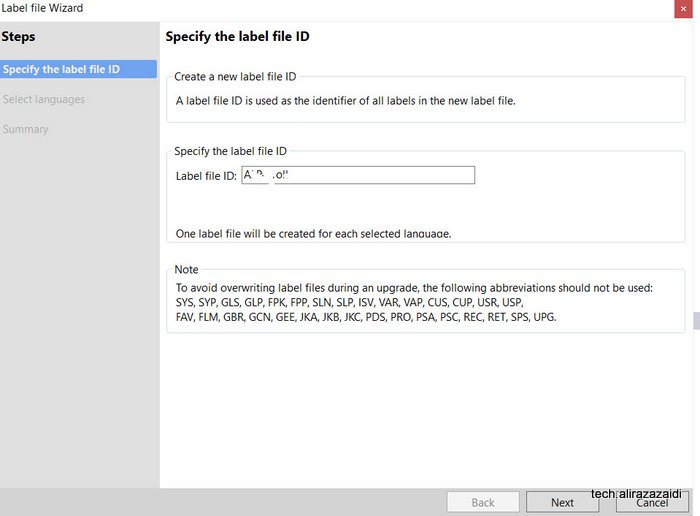
Suppose we are doing customization or new development from scratch. We need labels for our control, forms, fields for display caption or titles.
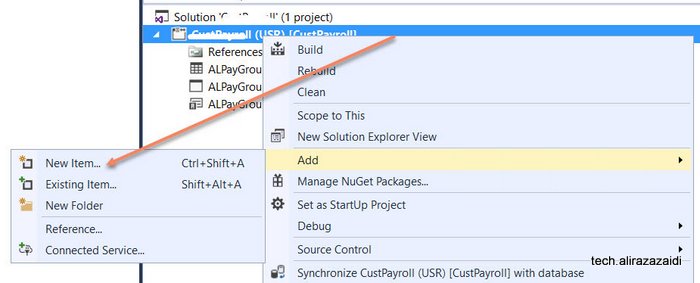
So first step is to create it by adding new item in Visual studio.
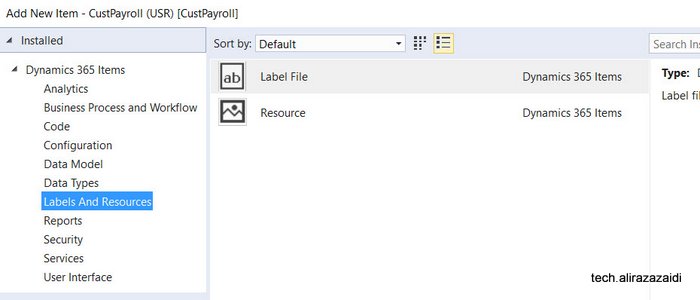
Name it as required,
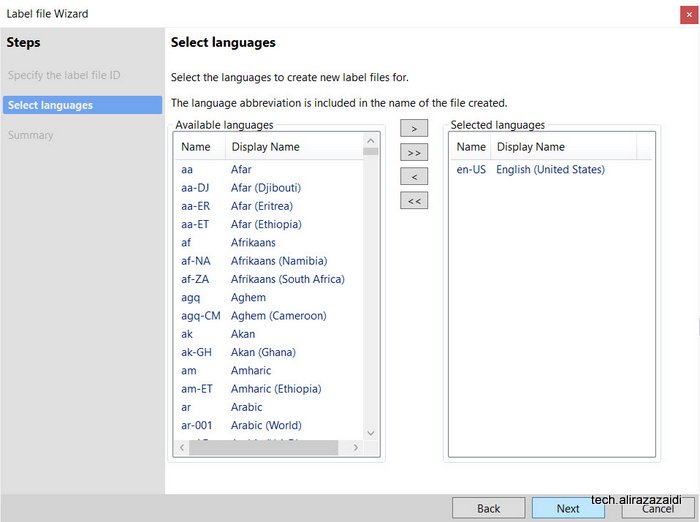
Select language. I select the English “US”
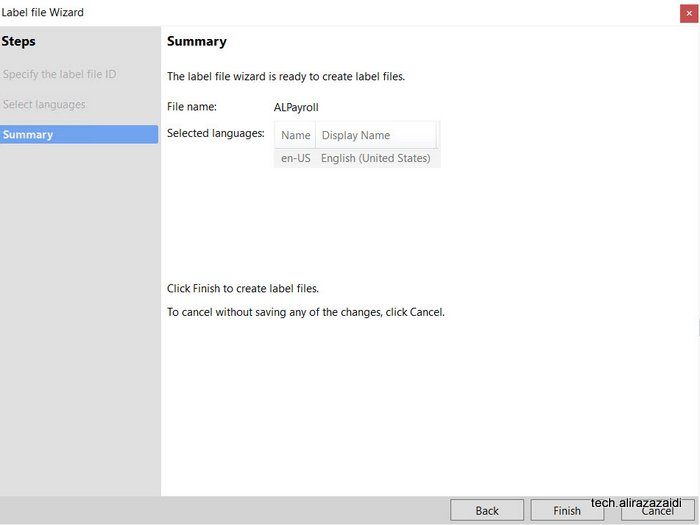
Make it finish
As a result new label file is created in visual studio solution
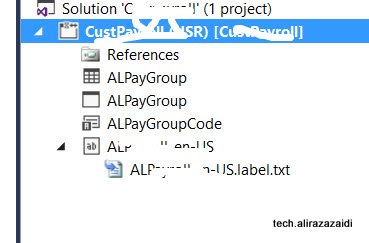
Click on file and add values through editors.
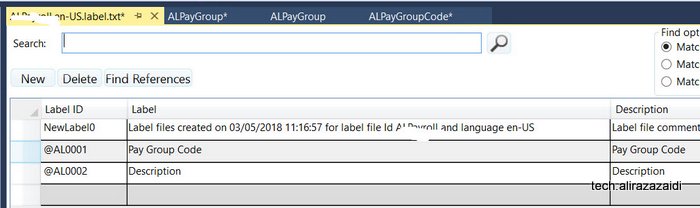
Labels created here can be search at control, field, EDT and Enum can be searched and used
After creating labels file in project you find button in labels.
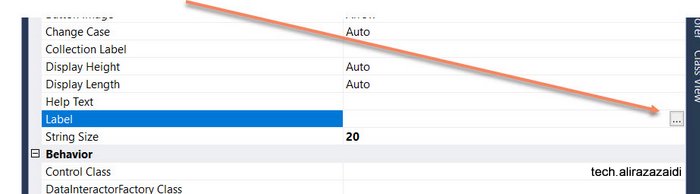
Search and selected required label
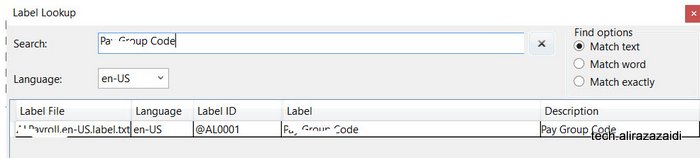
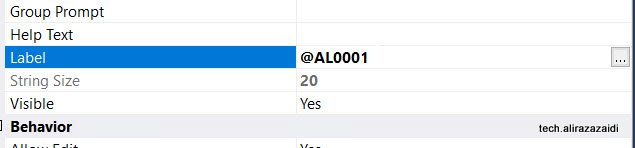
It is not recommend to create a new label for every field instead search and use label. For example for “Description” search and use existing one.
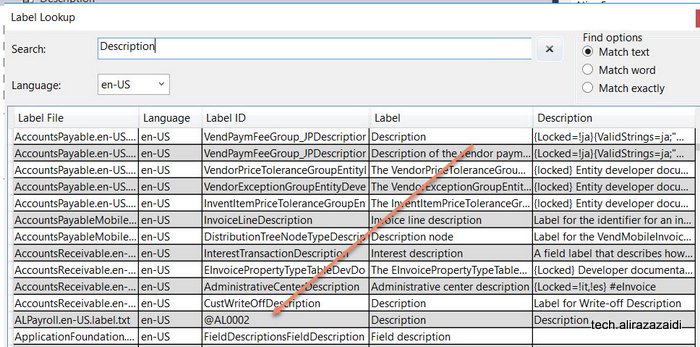
Something similar appear when I searched “Description”.
It shows all possible labels
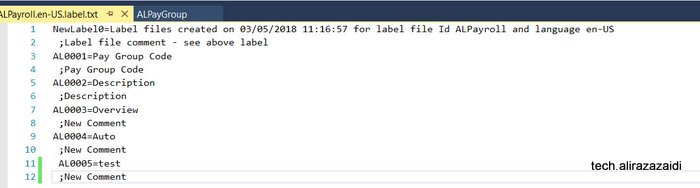
You can add labels in label file using text editor. For example I write AL0005 in text editor.
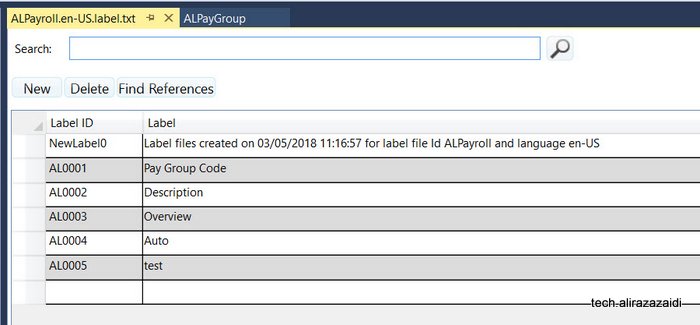
On saving, On opening label editor I found something similar.
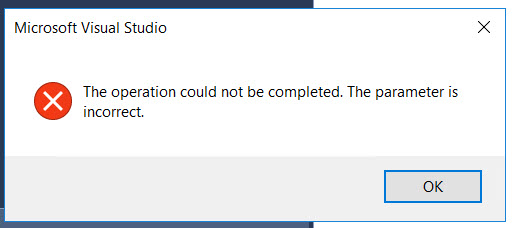
Aahaaaa, just started development, one table, some edts and a form, as I tried to compile , I found the Error
” Operation could not completed parameter is incorrect”.

Interestingly, the old trick, run visual studio as administrator still works here.
So I saved the project and run the Visual studio by right click on visual studio Icon and select the run at Administrator.
In D365 for finance things are little bit change and much more organized. In Dynamics Ax 2012, which consider as classic AX. We get ledger dimension with DimensionStorage class
ledgerDim = DimensionStorage::getDynamicAccount(
‘US-001’,
LedgerJournalACType::Cust);//Account
offsetLedgerDim = DimensionStorage::getDynamicAccount(
‘USMF OPER’,
LedgerJournalACType::Bank);//OffsetAccount
In D365 this Microsoft provide LedgerDynamicAccountHelper. Code snippet is here
ledgerDim = LedgerDynamicAccountHelper:
:getDynamicAccountFromAccountNumber(‘US-1001’,
LedgerJournalACType::Cust);
offsetLedgerDim = LedgerDynamicAccountHelper:
:getDynamicAccountFromAccountNumber(
‘USMF OPER’,
LedgerJournalACType::Bank);
Reference http://daxingwitheshant.blogspot.com/2015/04/creating-payment-journal-using-x-in-ax.html
Until and unless you have not good grip on functional side, you are unable to deliver customization. This idea constantly grow in mind and now started to grow as fear,
What if the functional consultant is not available or not provide good testing. And your piece of Code breaks in Production. In ERP things goes beyond unit testing, We need extensive scenario based testing. In ERP development is easy, but covering all possible scenarios is tough, you have to grow functionally.
So I started to explore functional side by my own. And small issue starts to popup and now I started to document as I faced them 1 by 1 during learning process.
So I got very small issues. When I tried to use a newly created item in purchase line.

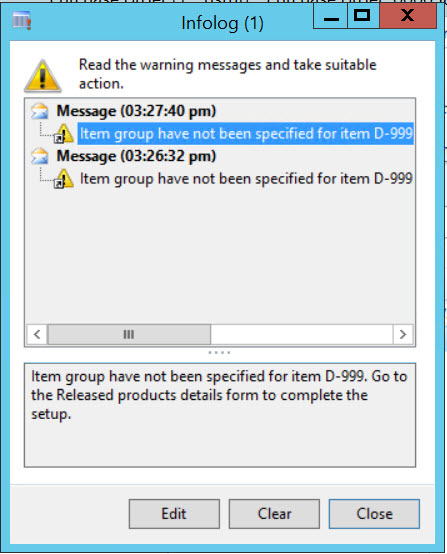
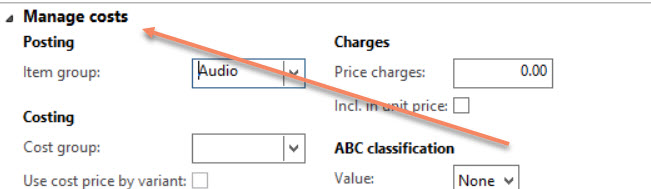
Item Group is not specified for item.
It took me almost 10-15 minutes where is the Item group in Release product detail form.
I found it in Manage Costs fast tab.

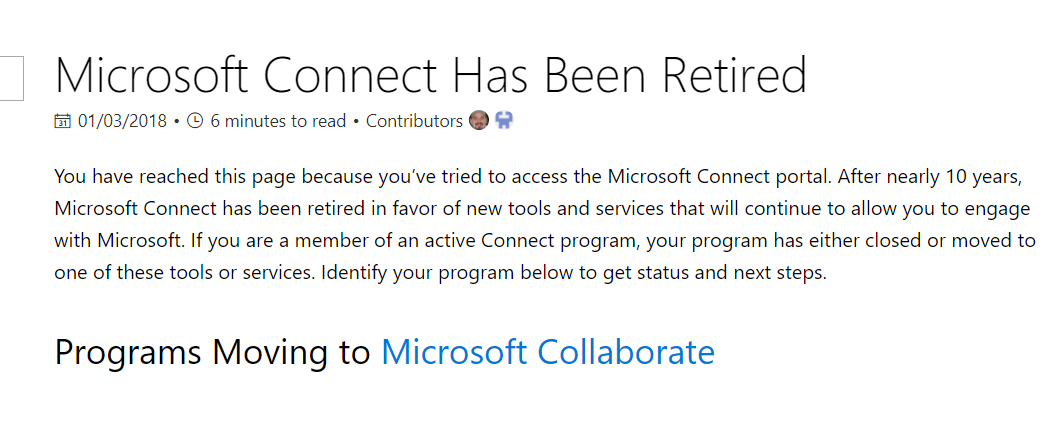
Hi all, I was trying to download latest Dynamics 365 for finance Dev box vm, but found that Microsoft Connect portal is retired. you can found all information here.
https://docs.microsoft.com/en-us/collaborate/connect-redirect
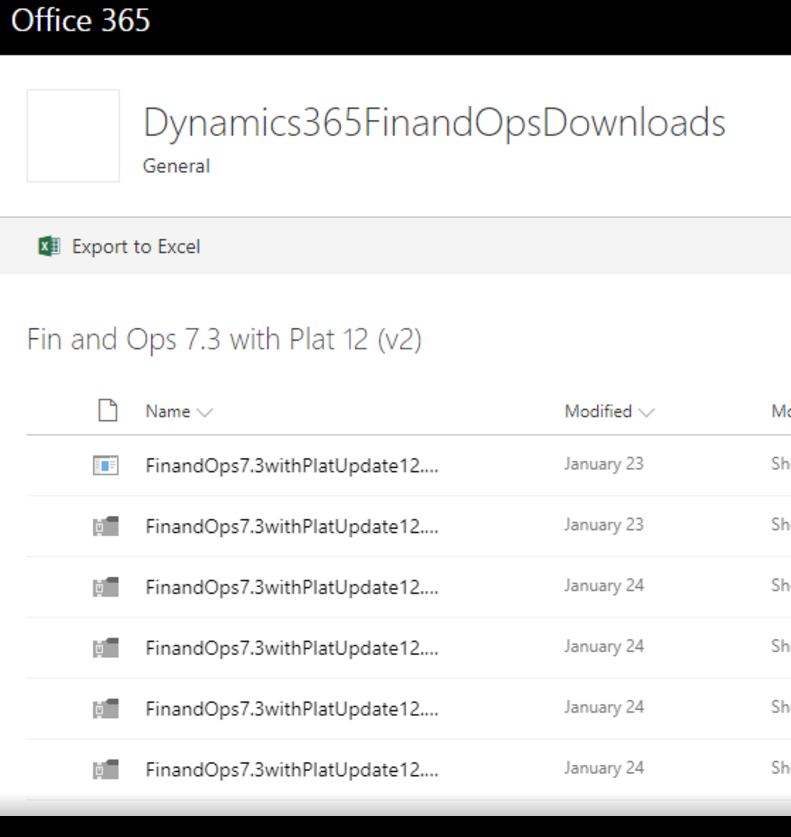
I expect that lastest VM link will available here, As I found latest 7.3 update 12 link here
https://aka.ms/finandops73pu12
And it leads us to some share point link, Download is good as compare to old connect link.
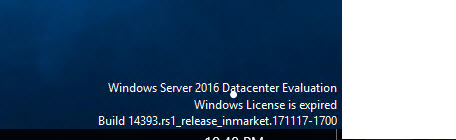
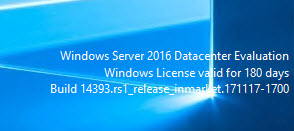
Today, I login Dev box Vm and found trail period is expired. I follow following steps to extend its period. These are common step, but lets document it.
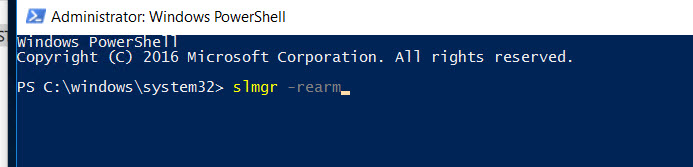
So I open PowerShell run as administrator.
And write following command
slmgr -rearm
Command is successfully executed and I got following message
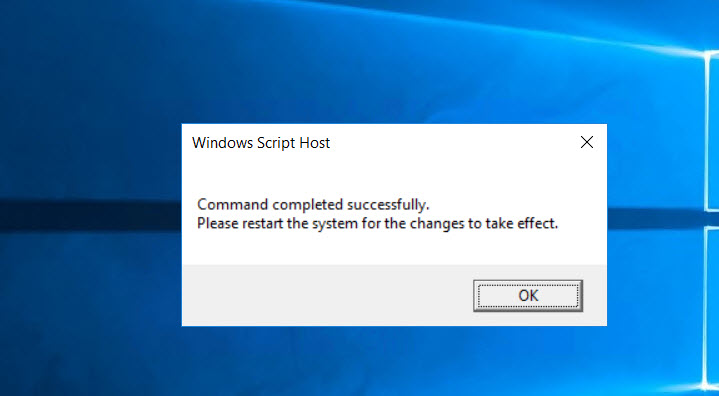
So restart the VM.
I followed below link and UAT database which was restored from Production DB by Microsoft Employee. that and download and restored on my local dev box VM.
I found this link so precise that no need to blog any more.
Hi All, today I have small tip, During development, I have to process a lot of records. During this , I need Busy screen process indicator.
I used following code snippet to create progress busy indicator.
For this I have to do following changes in my Class method (Business logic).
So my required method become something like
Class myProcess

{


Public static void RunmyProcess(Container _C)

{

Str _Value = conpeek(_C,1);


}


}


class RunBtnProcess

{

/// <summary>

///

/// </summary>

public void clicked()

{


container _Xyz=[TableName.FieldValue];

super();

SysOperationSandbox::callStaticMethod(classNum(myProcess),
staticMethodStr(myProcess,RunmyProcess),_Xyz,
'Ledger Record in process', 'Operation completed');


}


}

Reference : Internet.