Currently I was searching describe like function, which used in Oracle PLSQL to get the detail of table. I found equvilent function in TSQL “sp_help”.
you can used it as
sp_help <table_name>
i.e
sp_help studentdet
A practitioner’s musings on Dynamics 365 Finance and Operations
Currently I was searching describe like function, which used in Oracle PLSQL to get the detail of table. I found equvilent function in TSQL “sp_help”.
you can used it as
sp_help <table_name>
i.e
sp_help studentdet
The command I forget, so i log it here
mstsc /console.
For update part of ETL Process I have to write another Common table expression to get all records where are changed at source to run update query on destination table
My update part of basic ETL using TSQL as
with ChangedRows as

(


SELECT     sourceEmp.empid, sourceEmp.lastname, sourceEmp.firstname, sourceEmp.title, sourceEmp.titleofcourtesy, sourceEmp.birthdate, sourceEmp.hiredate, sourceEmp.address, sourceEmp.city, sourceEmp.region, sourceEmp.postalcode, sourceEmp.country, sourceEmp.phone, sourceEmp.mgrid,DestEmployee.SourceEmpId

FROM         TSQLFundamentals2008.HR.Employees sourceEmp inner join

TSQLFundamentals2008DW.HR.DimEmployees DestEmployee

on

sourceEmp.empid = DestEmployee.SourceEmpId

where


sourceEmp.lastname <> DestEmployee.lastname

or sourceEmp.firstname <> DestEmployee.firstname

or sourceEmp.title <> DestEmployee.title

or sourceEmp.titleofcourtesy <>DestEmployee.titleofcourtesy

or sourceEmp.birthdate<>DestEmployee.birthdate

or sourceEmp.hiredate <> DestEmployee.hiredate

or sourceEmp.address <> DestEmployee.address

or sourceEmp.city <> DestEmployee.city

or sourceEmp.region <> DestEmployee.region

or sourceEmp.postalcode<>DestEmployee.postalcode

or sourceEmp.country <>DestEmployee.country

or sourceEmp.phone<>DestEmployee.phone

or sourceEmp.mgrid <> DestEmployee.mgrid


)

update  TSQLFundamentals2008DW.HR.DimEmployees

set    lastname = ChangedRows.lastname

,  firstname = ChangedRows.firstname

,  title = ChangedRows.title

,  titleofcourtesy =ChangedRows.titleofcourtesy

,  birthdate=ChangedRows.birthdate

,  hiredate = ChangedRows.hiredate

,  address = ChangedRows.address

,  city = ChangedRows.city

,  region = ChangedRows.region

,  postalcode=ChangedRows.postalcode

,  country =ChangedRows.country

,  phone=ChangedRows.phone

,  mgrid = ChangedRows.mgrid

from ChangedRows

where TSQLFundamentals2008DW.HR.DimEmployees.SourceEmpId=ChangedRows.empid
My current assignment was to write ETL Process using TSQL. So I have to get all rows which are newly added to Source Table and are not part of destination table. I wrote simple Common Table Expression to get all rows and insert into destination table.
So part of ETL Process using CTE as
with NewRows as

(

SELECT     sourceEmp.empid, sourceEmp.lastname, sourceEmp.firstname, sourceEmp.title, sourceEmp.titleofcourtesy, sourceEmp.birthdate, sourceEmp.hiredate, sourceEmp.address, sourceEmp.city, sourceEmp.region, sourceEmp.postalcode, sourceEmp.country, sourceEmp.phone, sourceEmp.mgrid,DestEmployee.SourceEmpId

FROM         TSQLFundamentals2008.HR.Employees sourceEmp left join

TSQLFundamentals2008DW.HR.DimEmployees DestEmployee

on

sourceEmp.empid = DestEmployee.SourceEmpId

where DestEmployee.SourceEmpId is null

)

INSERT INTO [TSQLFundamentals2008DW].[HR].[DimEmployees]

([lastname]

,[firstname]

,[title]

,[titleofcourtesy]

,[birthdate]

,[hiredate]

,[address]

,[city]

,[region]

,[postalcode]

,[country]

,[phone]

,[mgrid]

,[SourceEmpId])

(select

NewRows.lastname, NewRows.firstname, NewRows.title, NewRows.titleofcourtesy, NewRows.birthdate,

NewRows.hiredate, NewRows.address, NewRows.city, NewRows.region, NewRows.postalcode, NewRows.country, NewRows.phone, NewRows.mgrid,

NewRows.empid  from NewRows)
DECLARE @PageNum AS INT;
DECLARE @PageSize AS INT;
SET @PageNum = 2;
SET @PageSize = 10;

WITH OrdersRN AS
(

SELECT     ROW_NUMBER() OVER(ORDER BY DimProduct.ProductKey) AS RowNum,
 DimProduct.ProductKey,
           DimProduct.EnglishProductName as Product,
           DimProductSubcategory.ProductSubcategoryKey as SubCategoryKey,
           DimProductSubcategory.EnglishProductSubcategoryName as SubCategory,
           DimProductCategory.ProductCategoryKey as CategoryKey,
           DimProductCategory.EnglishProductCategoryName  as Category
FROM         DimProduct INNER JOIN
                      DimProductSubcategory ON DimProduct.ProductSubcategoryKey = DimProductSubcategory.ProductSubcategoryKey INNER JOIN
                      DimProductCategory ON DimProductSubcategory.ProductCategoryKey = DimProductCategory.ProductCategoryKey
                   )
                      SELECT *
FROM OrdersRN
WHERE RowNum BETWEEN (@PageNum - 1) * @PageSize + 1
      AND @PageNum * @PageSize
ORDER BY ProductKey;
You can use the list down all tables in specific database with this query
select TABLE_NAME from information_schema.tables where Table_Type = 'BASE TABLE'
Nolock is T-Sql hint, That used to ignore the locks on table during transactions. It allows retrieving data and did not wait to complete the transaition applied on table. It has some pros can cons
Pros:
Cons:
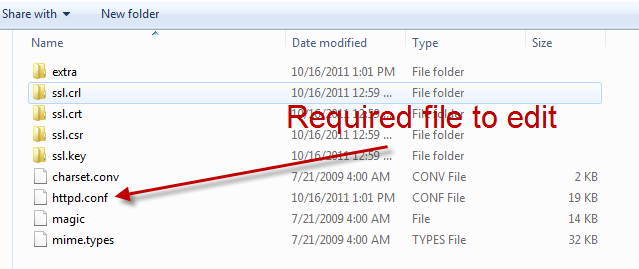
In my personal machine, I installed the ii7, same time I required XAMP for php, Problem is that ii7 and apache server both occupied the same port 80 by default. Apache is stop running on my machine. So I decide to change the default port of XAMP to something else I follow the following steps to fix this issue.


Currently working on sftp BizTalk adapter, I have to configure SSL site on my local machine. I got following error when run the local host.
HTTP Error 403.14 – Forbidden
The Web server is configured to not list the contents of this directory.
The issue was that .Net framework 4.0 was not installed on my machine, possible I installed iis after installation of visual studio.
So here is what you need to do to fix it.
1.) Run a command prompt as Administrator.
2.) Copy and paste the following text “C:WindowsMicrosoft.NETFramework64v4.0.30319aspnet_regiis.exe -i”
This is assuming that you have already installed .Net Framework 4.0 , but not in the correct order.
During the studying BRE i found following survival guide for BRE.
http://social.technet.microsoft.com/wiki/contents/articles/6480.aspx
Some excerpt form above link
”
Out of box the business rules engine (BRE ) is offered as either stand-alone .NET-compliant class library that includes a number of modules, support components, and tools or as component within your BizTalk solution enabling you to apply business rules to your processes (i.e. orchestrations). BRE implements the Rete algorithm , which is an efficient pattern matching algorithm for implementing production rule systems, and provides forward chaining execution. Forward chaining is one of the two main methods of reasoning when using inference rules (in artificial intelligence). This article will give you an overview of all relevant available resources regarding BRE to enable you to build robust solution with BRE.
“