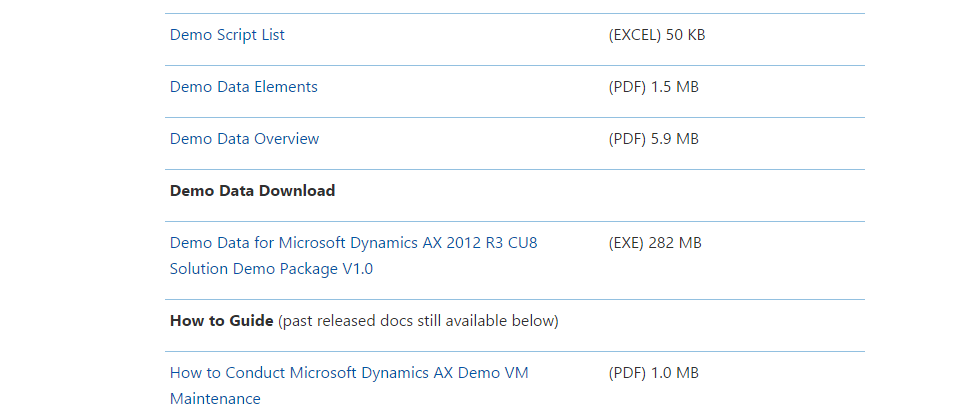
Demo data file for Dynamics Ax 2012 R3 CU8 is available for download. You can download it from following link
To log on here you must have partner source or customer source credentials.

A practitioner’s musings on Dynamics 365 Finance and Operations
Demo data file for Dynamics Ax 2012 R3 CU8 is available for download. You can download it from following link
To log on here you must have partner source or customer source credentials.
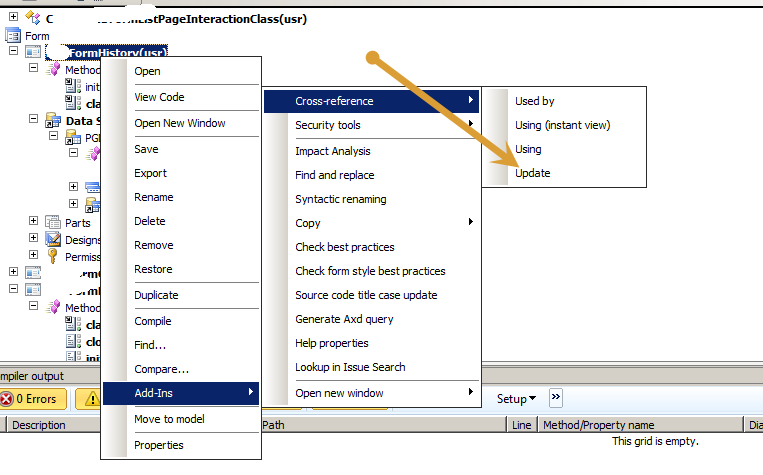
I got error message ” Unable to save method init” during saving the form. While surprising it gives no error on compiling the code. I also found some errors on classes too, I solved it by following way, possible it helps,

During development, I wrote code in clicked event of Button. But requirement is that code will works only if form is in edit mode. I used following code to check it
boolean _bool;
supper();
_bool= element.inViewMode();
if (_bool==boolean::true)
{
info (“true”);
}
else
{
info (“false”);
}
This method element.inViewMode() return true when form is view mode.
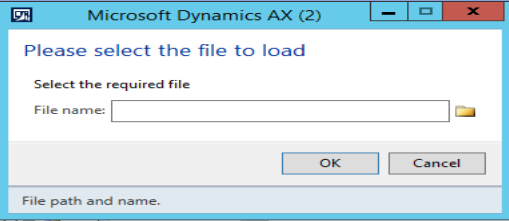
Some times we have to load files into dynamics Ax. Following X++ code helps to load files in Dynamics AX.
Dialog _dialog;
DialogField _file;
;//Prompt to import excel
_dialog = new Dialog(“Please select the file to load”);
_dialog.addText(“Select file:”);
_file = _dialog.addField(ExtendedTypeStr(“FilenameOpen”));_dialog.run();
if (_dialog.closedOK())
{
info(_file.value() );
}


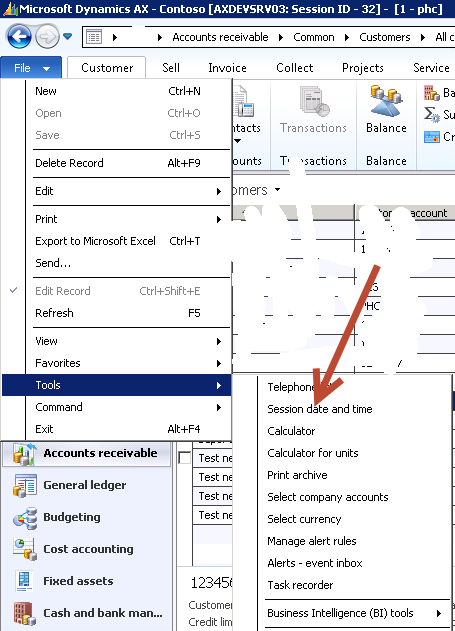
In dynamics Ax 2012, session date is appear in status bar. User can change it if required.
If you want to change it you can click on it fil=> tools=> session date and time

On click it similar form will appear.

If session Date is not appear in Status bar, then you have to enable it from following link
File > Tools > Option s > Status bar

Enable session date time by clicking on “Show session date:”

After fresh installation on VM, we usually restored the database back of Production or QA server . And this technique usually applied in multi development environment. But yesterday I got this error when I tried to restore Dynamics AX database on my newly created Dynamics Ax 2012 VM.
BACKUP LOG cannot be performed because there is no current database backup. (Microsoft.SqlServer.Smo)
As per Sql Authority Website, it was backup creation issue, But surprisingly it was rights issue. I was trying to restored database from User who has not db owner or rights on the database. I switched the User and make my user as db owner, And then try to restored it. It works for me.
If this solution is not working then Please do the following.
• Stop the AOS service.
• Open BDS and delete the Dynamics Ax database.
• Restored the Dynamics Ax database from Back files
• Gave the db owner rights to service user on Dynamics Ax databases. Service user means that the user which Dynamics Ax service is running.
• Get the Current user SID by running following command in Powershell (Run as administrator).
$AdObj = New-Object System.Security.Principal.NTAccount(“administrator”)
$strSID = $AdObj.Translate([System.Security.Principal.SecurityIdentifier])
$strSID.Value
• Update the statement in database table
update userinfo set
networkdomain = ‘dynamicworlds.com’,
networkalias = ‘administrator’,
SID = ‘S-1-5-21-3030200632-4028267746-237368394-500’
where ID = ‘Admin’
In dynamics Ax 2012, You can read image from physical path and stored in database as follow
BinData binData = new BinData();
str extention, path, nameOfFile;
container imageContainer;
str imageFilePathName;
imageFilePathName=”C:\\abc\\ali.jpg”;
// if ( WinAPI::fileExists(imageFilePathName))
{
binData.loadFile(imageFilePathName);
imageContainer = binData.getData();
table.Person = _Party.RecId;
table.Image = imageContainer;
table.insert();
}
This code runs both for server side and client side. At server side execution table use winserverapi::FileExists
During development of SSRS report I got follow error,
“Fatal exception performing AXRDCE transformation step. The report cannot be rendered. Please contact your system administrator.”
and report stop working, It working perfectly write a few hours ago. The old trick works for me.
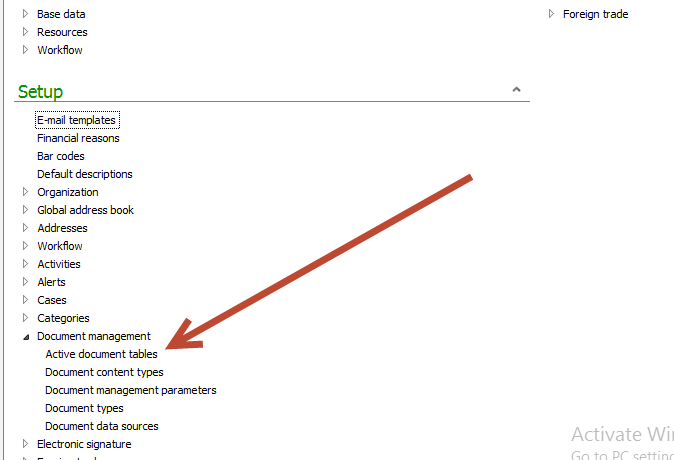
By default document attachment is not enabled on every table. To enable document attachment you have follow following links
Organization administration > Setup > Document management > Active document tables.

Search and add required table ie, custTable,VendTable,hrmRecuritmentTable,hcmApplicant, hcmApplicantion in “Table name” drop down and click on check box “always enabled” and Press Ctrl+S for save

Hopes this works
If you set up Aif service data in Dynamics Ax 2012, You can easily import and export data into AX using Excel Add-in. You can export, import data with all out of the box AIF services. In the case of table import export in Excel add-ins then under the hood AIF metadata service used.
For current post I am using my exists custom document Service in Excel Add-ins. The more complex custom services can be written.
This custom service is in detail you can follow following article.
http://tech.alirazazaidi.com/creating-and-consuming-custom-document-service-in-dynamics-ax-2012-r3/


Now click open the Excel and create a new worksheet. You find Dynamics Ax tab strip as follow

Click and open the connection to Dynamics Ax 2012

Now click on add data at tab strip and click add data

Select the source

Now drag and expend it to required number columns.


Second way to select the header and click on add row button from Dynamics AX tab strip.

Enter data and click on publish button. After pressing the publish button open table explorer in AOT, data is found.