Hi friends, in this video, I demonstrate the default order settings for purchase order, Sales and Inventory order. Hope you like this video.
How to use Notion with logseq and Obsidian
Hello and welcome to this post. In this post, I shared with you how to sync Logseq and Obsidian with Notion.
In my workflow, I use Logseq for my daily journals or logs. In Obisdian, I wrote blog posts, which sync to Notion.
In Obsidian, there are two very powerful features: graph view and backlinking. Both Obsidian and Logseq are file-based, and they store data as markdown files.
In this video, I explain how we can sync Logseq and Obsidian to Concept.
LogSeq beginner guide Series
Hi everyone, Currently, I am struggling with my notes. Being a knowledge worker, I have to study, read, meet, and take notes. With the passage of time, they become huge.
I am a notion lover; I still have major notes there. However, for the past six months, I have been using Logseq to regularly manage my logs and to-do list.
It has a local file base that prioritizes security. I appreciate its backlinking and graph view features. Here are my videos. I hope this will help you.
How to restrict customer beyond its credit limit.
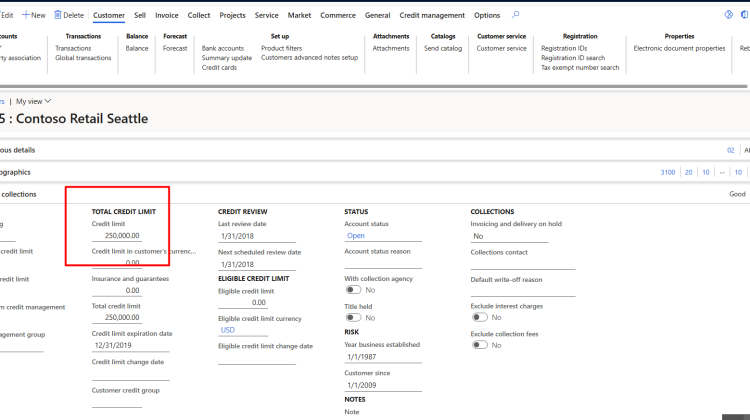
Credit limit is very important. When ever customer cross his due limit, he should be on hold until he paid his due. D365 provide ability to automatically restrict customer from posting any transaction
You found customer form following page.
Account Receivable > Customer > All Customers
Open any customer and then open the Credit and Collections fast tab.
Set the credit limit.

You can update it as per requirement.
You can check the balance of customer. It is available customer > Balance action.


For customer US-005, very that that custom er has balance of 233,231.00
Now goes to credit and collection module and then opens the credit and collection parameters

click on Credit and from credit limit fast tab
Select “Error” in the “Message when exceeding credit limit” ” drop-down list

For test this functionality, you have to go into Accounts Receivable module.
Navigation to sales order form is as follow.
Navigate to Accounts receivable > Orders > All sales orders
Create new sales order
Create sales order line and add a limit more then 250000 usd dollar.
On the confirmation of sales order

Adding a quantity more the remaining limit. On confirmation of Sales order error message appear.
How to create resuable product template in D365 finance and operations
Hi friends, in this video I shared how to create a product template and reuse them in to d365 finance and operations
How To Use Advanced Filter: D365 Finance and Operations

Hello every one, today in this blog post we will explore Advance filter in D365 page.
We normally used filters on grid by using key words like “Begin with”, “Contains”, “Is one of”, ”is exactly” etc.

D365 Also provide the advanced filter and sorting options, from where end user can create complex queries.
These queries can be used data from another related tables.
You can find the option in almost every form under option tab in the ribbon.

- Table – This provide the option to select the table that can be used inside the selection.
- Derived table – this will update when you select the table.
- Field – This is the field on which we can apply filter
- Criteria – Here we select the criteria to filter the records.

If you click on sorting, here we can add and used files on records will display in grid.

If we click on Joins. select on
Construct a query

On show details toggle button click and show yes. It will show more detail on grid.

Select the customer where custTable: OrderCustomer

After selection, you will also find Customer

In rage screen, click on Add button and new row will appear. Select Customers and then from field select “Account Status” and in Criteria select Hold.

on apply sales order list shows all records with Invoice accounts.

For verification if we go on customer and in Credit and collections fast tab, the status of account status as Hold.

Json empty string to Null D365 finance and operations
Small tip today
str myJson = FormJsonSerializer::serializeClass(sContract);
        myJson = strReplace(myJson,":"",",": null,");
        return myJson;
Like this
Prepayment for Purchase order step by Step D365 Finance and Operations
In this video I shared how you can configure prepayment for purchase order and how we can settle it with purchase Invoice.
How to create page view and transfer to another user
Hi friends. We can apply different filters on list page and save as view for future use and even this view can assign to another user.
Here is step by step tutorial.
Suppose I have to create custom filter on Sales order list page that only specific take care will be appear in list page. And this view I have to move to another user.
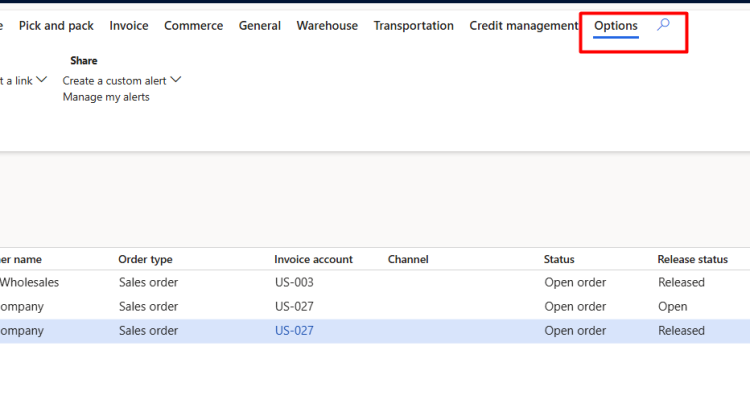
if we click on Option action pane on top menu. we found “Advance filter or sort”
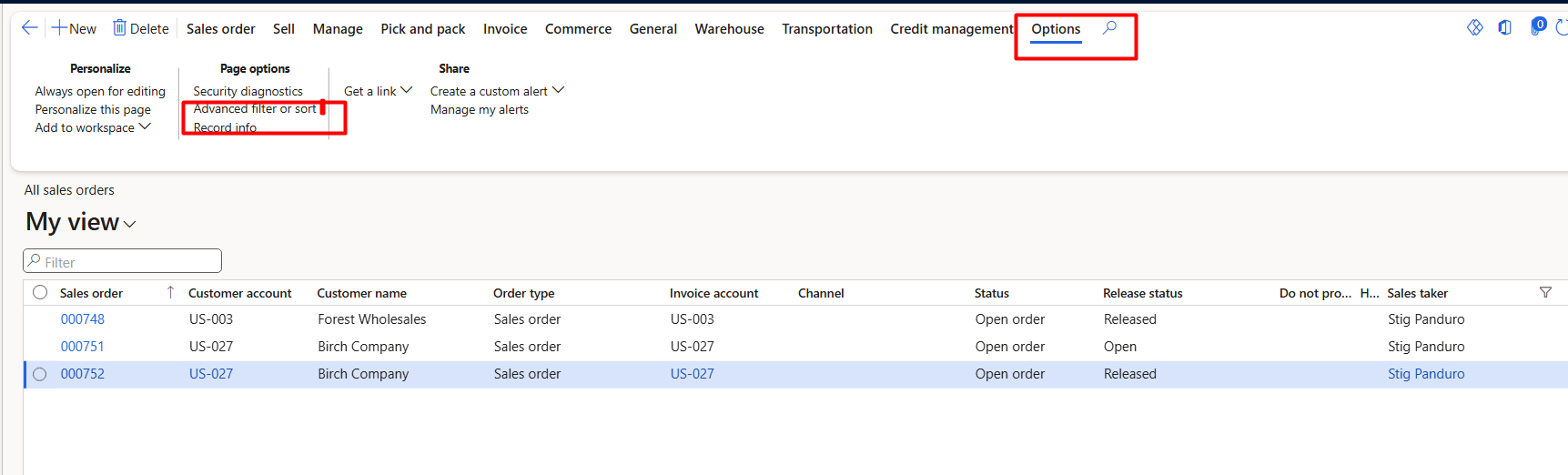
When click on on this “Advance filter and sort” it opens a query window opens.
For example I added here “Stig Panduro” in sales care taker.
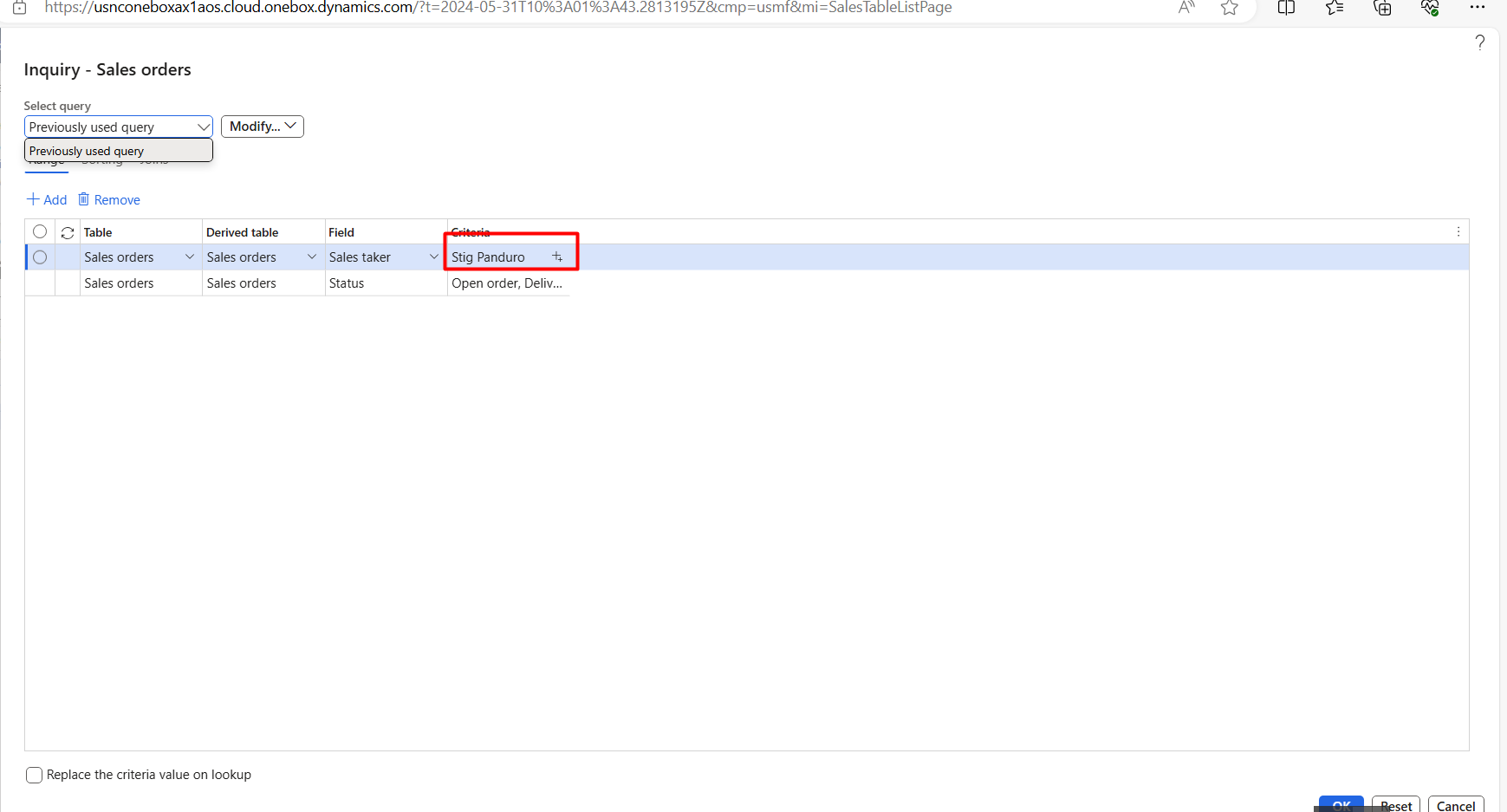
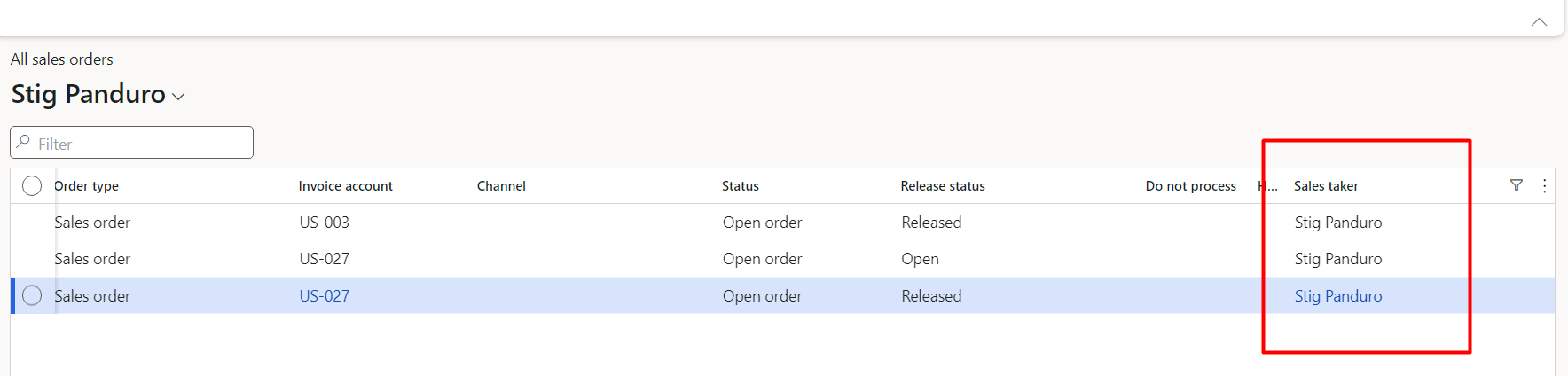
When click on ok button. The records are shown grid with “Stig Panduro” care taker.
Now click on my View and save it as

And add its name for example I saved it with “Stig Panduro”.
Now goes on top menu in D365 finance and operations and click on user options.
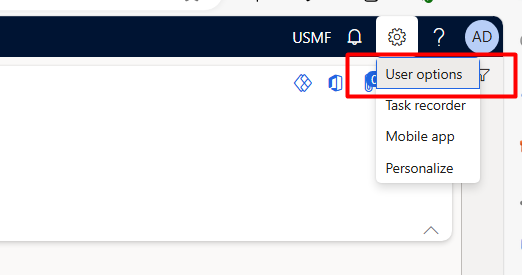
Then from open button click on “Personalization”
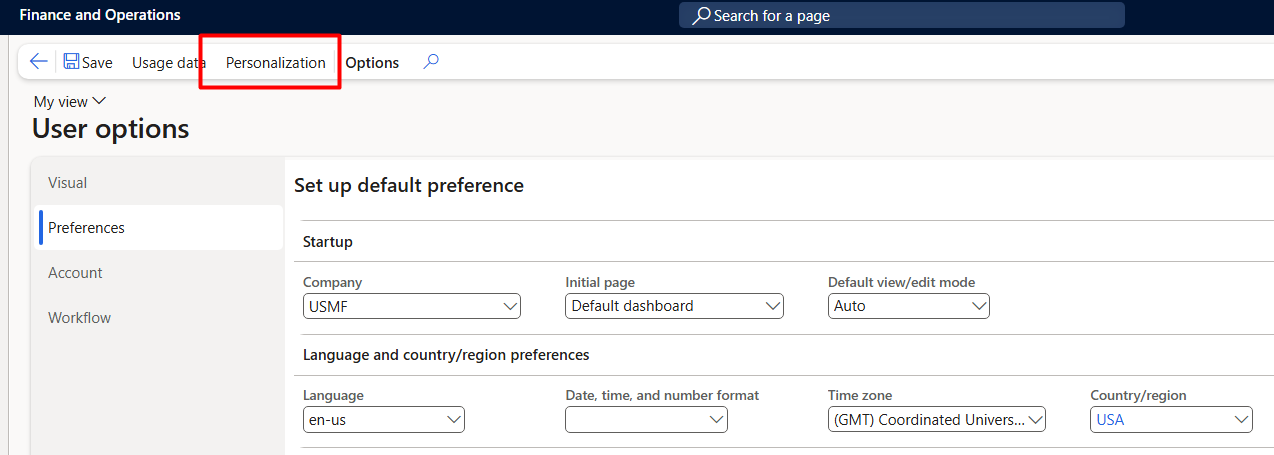
Apply filter on page as sales order or you can apply filter on view name

When we select any page or view. it enables the copy to users menu from top.
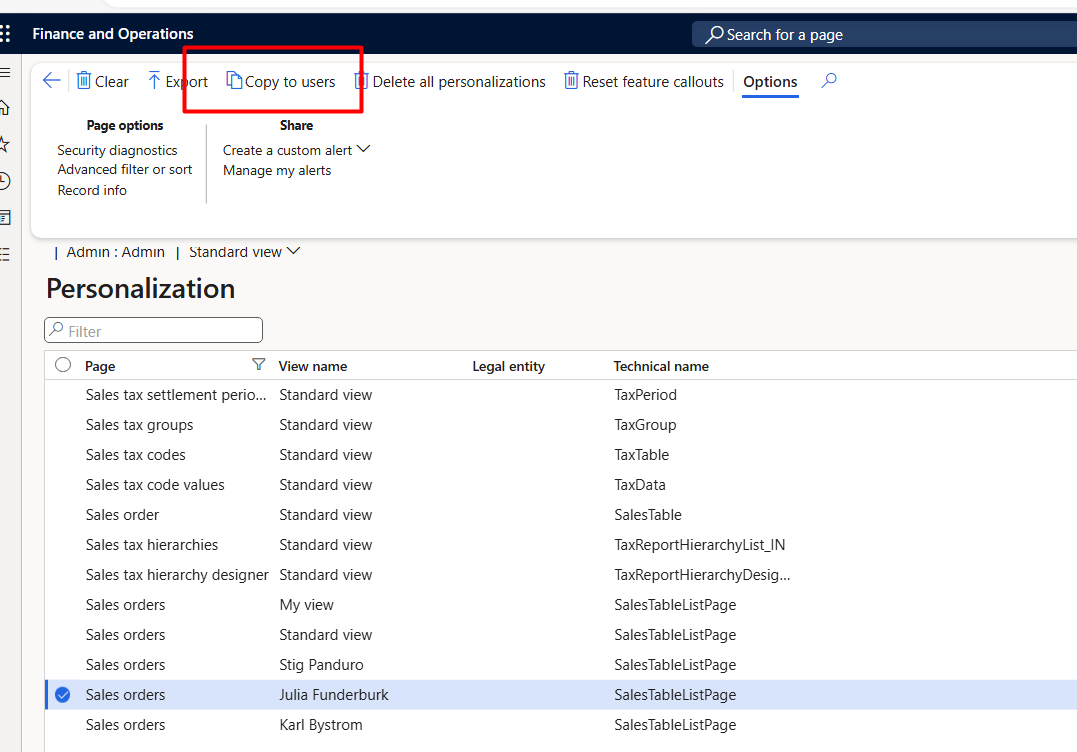
On clicking on “Copy to users” a dialog list page opens and from there we can select user to which we assign the view.
After selection click ok.
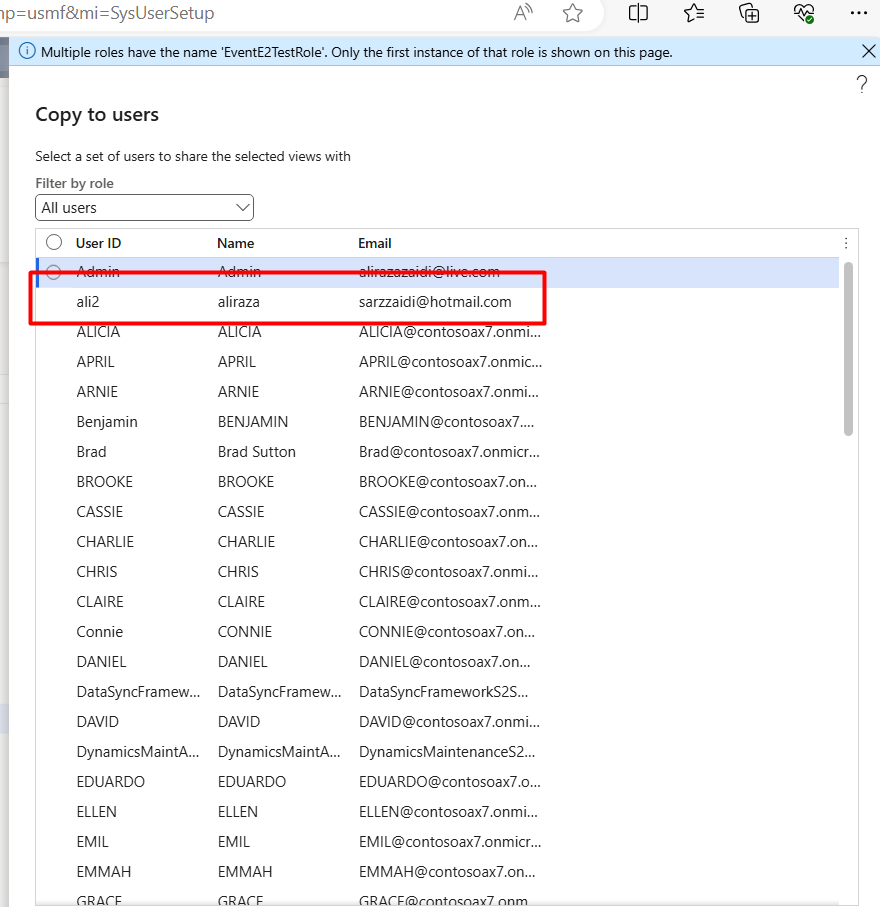
I tried this by login to another user. I found that view is attached to my.
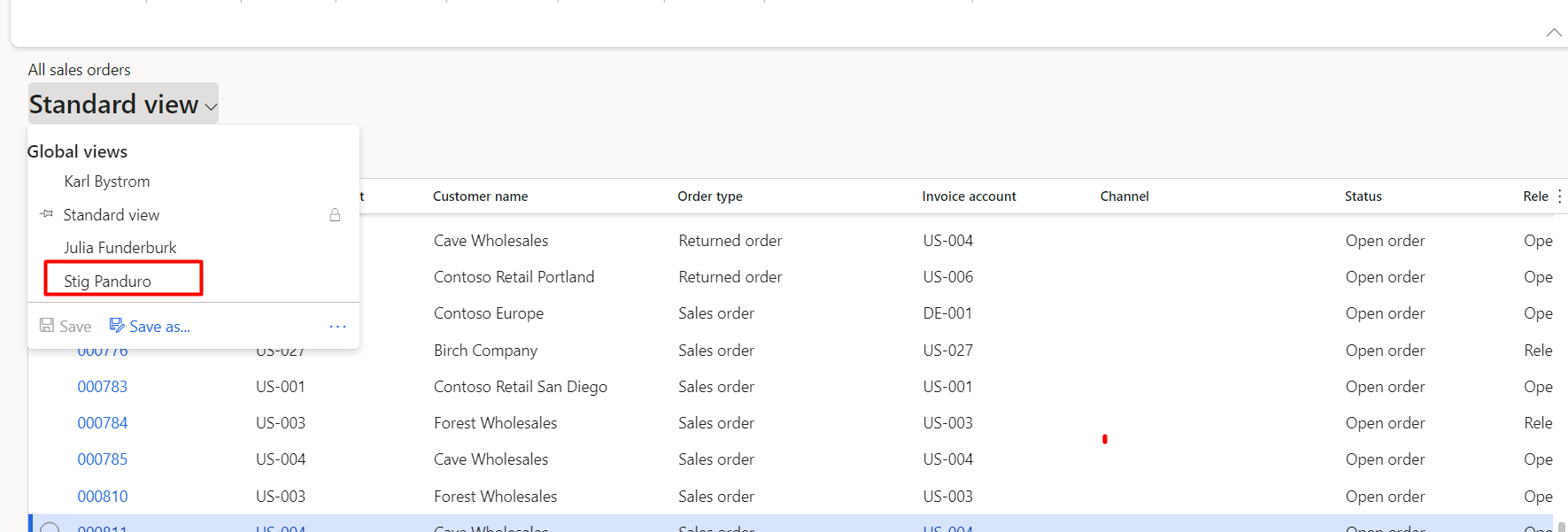
Applying this view. The all sales order started to shown with required filter.
Hope you like this post.
Where is admin Provisioning tool in 10.0.39. vm
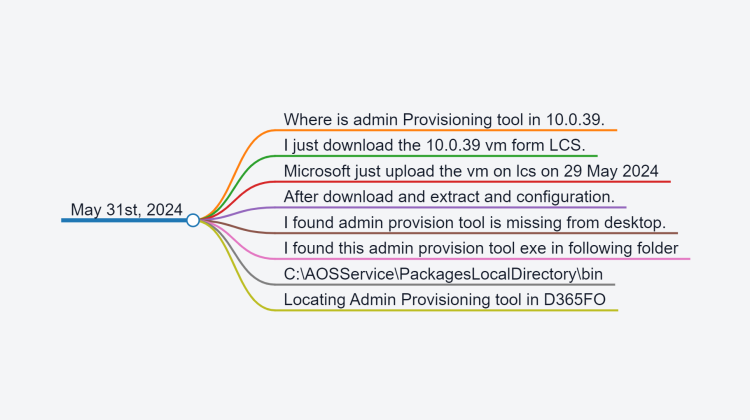
- Where is admin Provisioning tool in 10.0.39.
- I just download the 10.0.39 vm form LCS.
- Microsoft just upload the vm on lcs on 29 May 2024
- After download and extract and configuration.
- I found admin provision tool is missing from desktop.
- I found this admin provision tool exe in following folder
- C:\AOSServicePackagesLocalDirectory\bin
