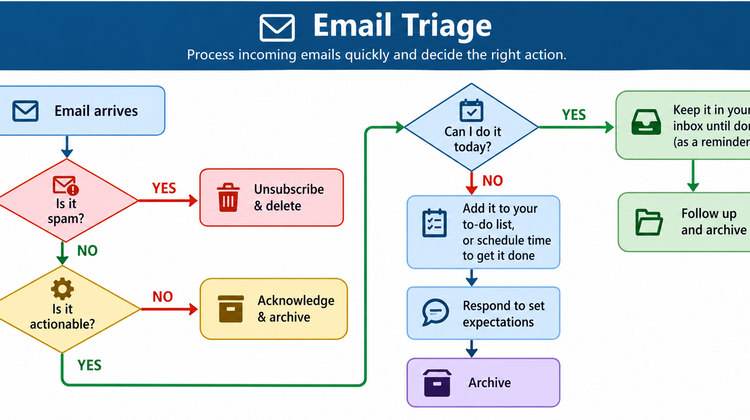
A few days ago, I learned a small but important lesson about email management.
I was busy working on a Solution Design Document when an email arrived about an upcoming Teams meeting. I quickly glanced at it, understood that it was related to a meeting, and returned to my work.
I thought, I’ll check it later.
But later never came.
I completely forgot about the email.
When the meeting time arrived, a notification popped up during my daily meeting. I tried to join, but I couldn’t find the Teams meeting link.
I asked others for the link, but no one forwarded it. Everyone naturally assumed that if I had been invited, I should already have the meeting invitation and link.
Fortunately, the meeting was short, and I didn’t miss anything critical.
But it taught me an important lesson:
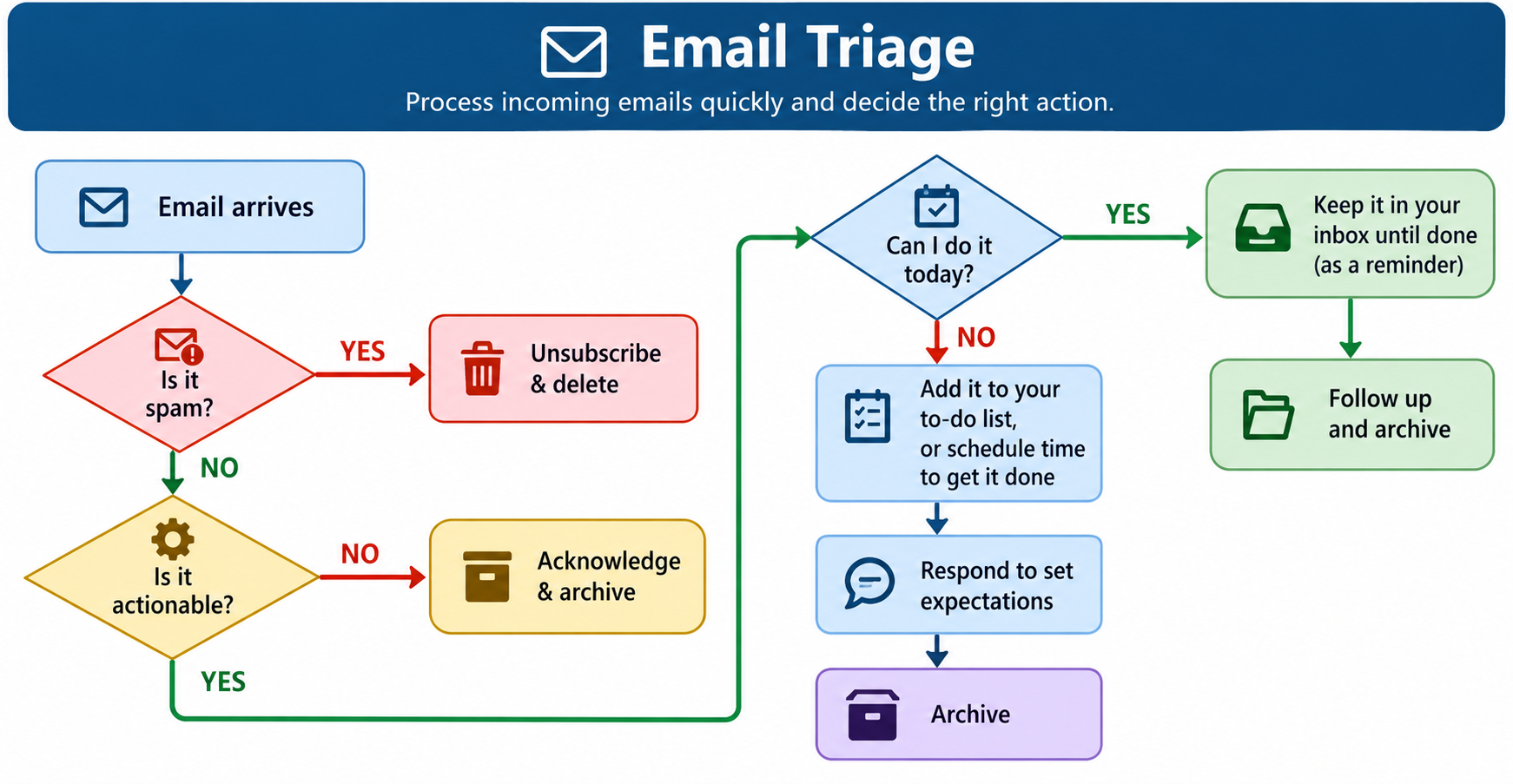
Reading an email is not the same as processing an email.
I had seen the email, but I had never decided what to do with it.
My Inbox Zero Experiment
After this incident, I decided to improve the way I handle email.
My goal is not simply to have zero unread emails. My goal is to have zero undecided emails.
Whenever an important email arrives, I want to make a decision about it instead of reading it and trusting myself to remember it later.
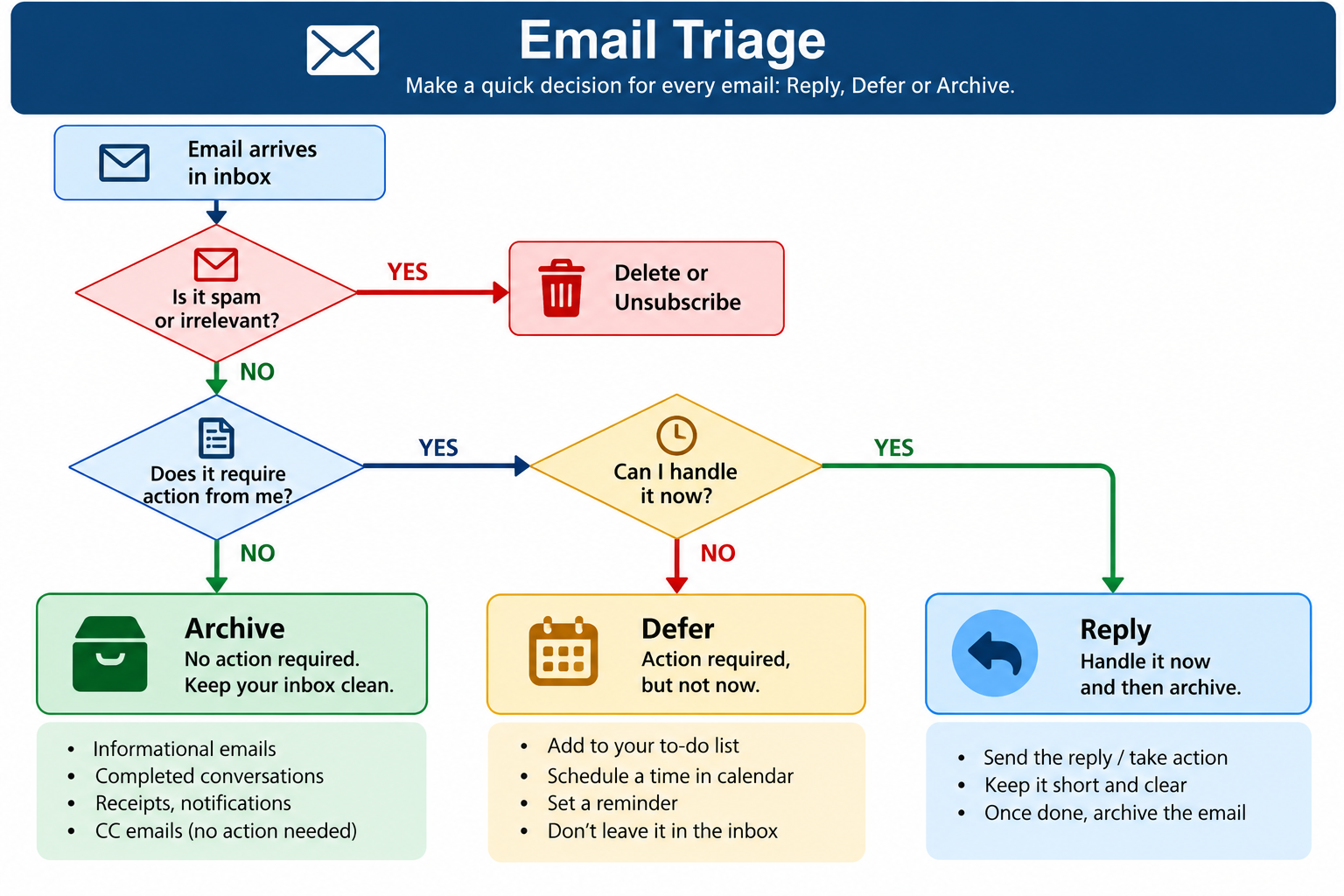
I simplified my email workflow into three actions:
1. Reply
If an email requires a response and I can handle it immediately, I reply.
In the meeting example, I should have replied within a few minutes:
“Thanks for the invitation. I can’t see the Teams meeting link. Could you please share it?”
That simple reply would probably have prevented the entire problem.
Once the conversation is complete, I can archive the email.
2. Archive
If an email doesn’t require any action from me, I archive it.
I have created folders based on projects and common categories such as HR, attendance, notifications, and administrative communication.
The important information doesn’t need to remain in my inbox just because I might need it someday.
My inbox should represent things requiring my attention, not become a permanent storage area.
3. Defer
Sometimes an email requires action, but I cannot handle it immediately.
Instead of leaving it in my inbox and hoping I remember it, I defer it deliberately.
I create a task in OneNote and give it a deadline.
For example:
Task: Review integration document
Source: Email from project team
Deadline: Tuesday, 3:00 PM
Now I don’t have to keep remembering the email. The task is captured in a system I trust.
Turning Emails Into Knowledge
There is another category of email that is particularly important in project work: information that I may need later.
Instead of keeping these emails sitting in my inbox, I capture the important information in my OneNote project notes.
I call these Keynotes.
For every project, these notes contain important decisions, updates, pending items, risks, and current status.
So an email doesn’t remain just an email.
Email → Decision → Task or Knowledge
This has started changing the way I think about my inbox.
My New Email Rule
My rule is now simple:
Never read an important email without deciding what happens next.
Every email should eventually lead to one of three actions:
Reply → Archive → Defer
The objective isn’t to answer every email immediately or allow email to interrupt deep work continuously.
The objective is to avoid leaving emails in an undefined state.
If I can handle it quickly, I reply.
If nothing is required, I archive it.
If it requires work later, I defer it and create a task with a deadline.
It is a small change, but it has already helped me become more organized, respond more reliably, and reduce the chance of important things getting lost in my inbox.
Inbox Zero, for me, is not really about having zero emails. It is about having zero emails waiting for a decision.