• Skip to main content
  • Skip to primary sidebar
  • Home
  • About
  • Recommended Readings
    • 2022 Book Reading
    • 2023 Recommended Readings
    • Book Reading 2024
    • Book Reading 2025
    • Book Reading 2026
  • Supply Chain Management Guide
  • PKM
  • Microsoft Excel
  • Microsoft Copilot in Office 365
  • Public Wiki Page

Ali Raza Zaidi

A practitioner’s musings on Dynamics 365 Finance and Operations

alirazazaidi

Json deserialize issue in service class An exception occured when invoking the operation – Type ‘Class’ is not supported by serializer. D365 Finance and operations

April 10, 2025 by alirazazaidi

Yesterday, I was working on integration, and everything was going fine. However, when I tried to retrieve a string from the DataContract, it threw an error: “Type ‘Class’ is not supported by the serializer.” The issue persisted even when I used Newtonsoft. The rest of the logic was functioning correctly.

Eventually, I discovered that the issue was due to missing AX 2012 attributes on the list’s getter/setter or parameter. Once I added those attributes, the actual getter/setter started working as expected.

 [
    DataMemberAttribute('transactions'),  
    DataCollectionAttribute(Types::Class, classStr(DSTTransactionDC))  
  ]  
  public List Parmtransactions(List _transactions = transactions)  
  {  
    transactions = _transactions;  
return transactions;
  }

I have to add following

  AifCollectionTypeAttribute('_transactions', Types::Class, classStr(DSTTransactionDC)),
  AifCollectionTypeAttribute('return', Types::Class, classStr(DSTTransactionDC))

After that getter setter become something similar

 [
    DataMemberAttribute('transactions'),  
    DataCollectionAttribute(Types::Class, classStr(DSTTransactionDC)),  
    AifCollectionTypeAttribute('_transactions', Types::Class, classStr(DSTTransactionDC)),  
    AifCollectionTypeAttribute('return', Types::Class, classStr(DSTTransactionDC))  
  ]  
  public List Parmtransactions(List _transactions = transactions)  
  {  
    transactions = _transactions;  
 return transactions;
  }

after this change, datacontract easily serialise. 
Also change attribute at class header from datacontracattribute to dataContract.

Hope you like this post.
How to apply updates on Cloud Hosted Environment D365 Finance and Operations

April 1, 2025 by alirazazaidi

I recently encountered a small functionality difference in the cloud-hosted environment.

Upon investigation, I found that the Dev machine is on 10.0.40, while the UAT environment is on 10.0.42.

This minor difference seems to be due to a Microsoft quality update. My next question is: How can I update it?

Essentially, the UAT and production environments are available on the project’s main page.

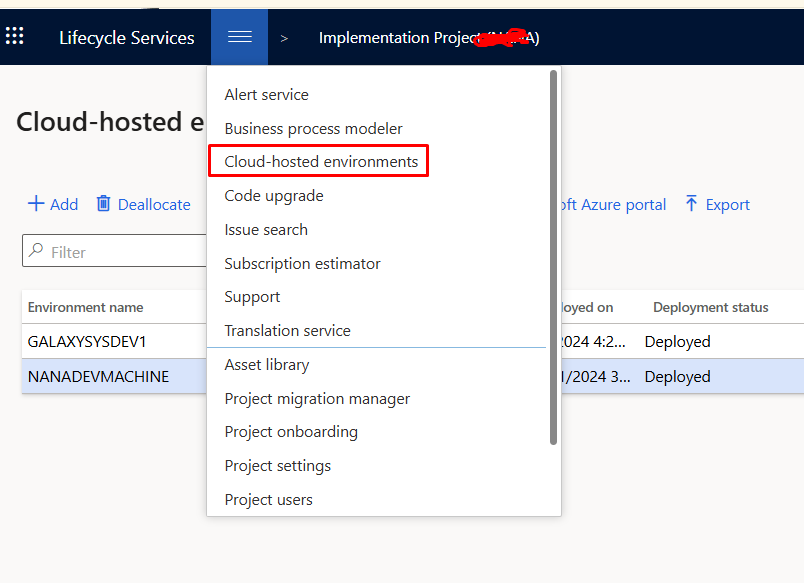
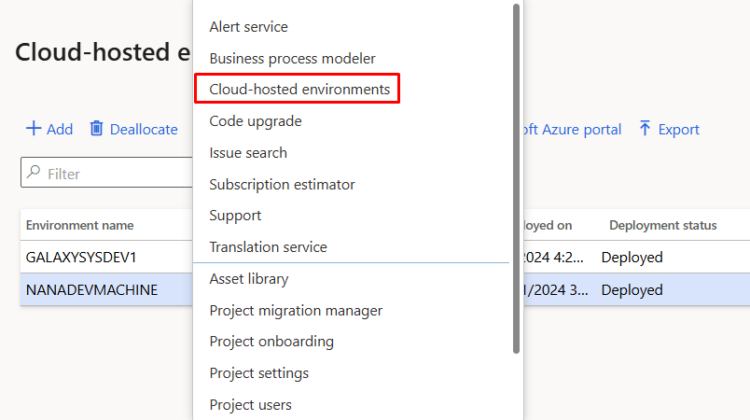
Dev machines are also cloud-hosted and can be found in the menu in LCS

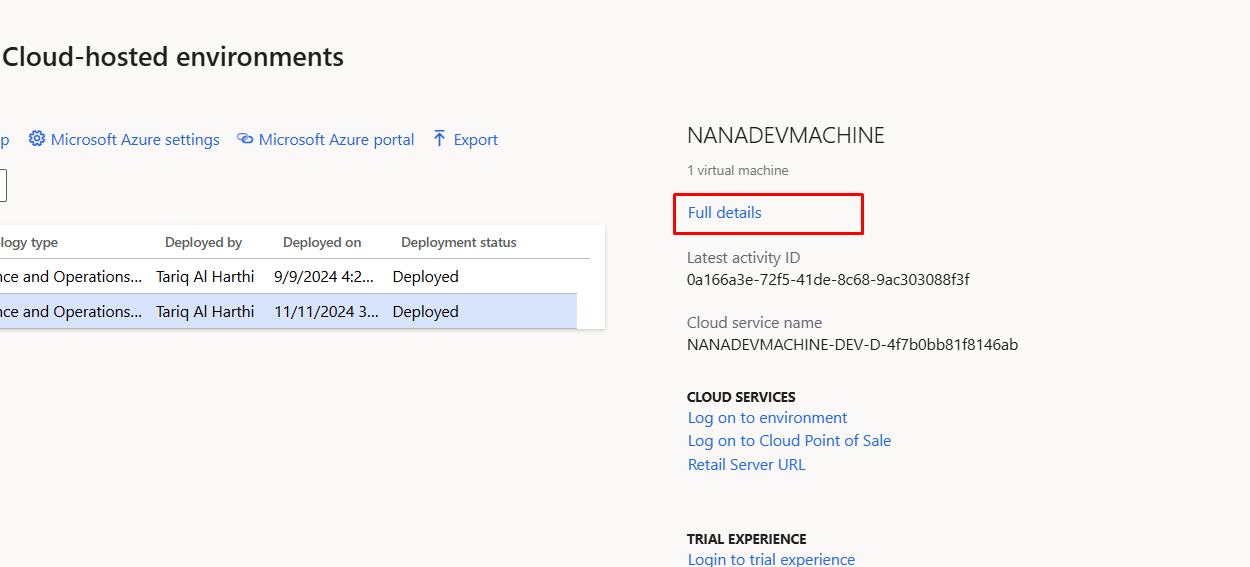
After selecting the machine you need to click on Full details button

from top menu you can select and apply update.

Hope you like this small post

How to add templates and Use in Obsidian- PKM-Personal Knowledge Management

March 24, 2025 by alirazazaidi

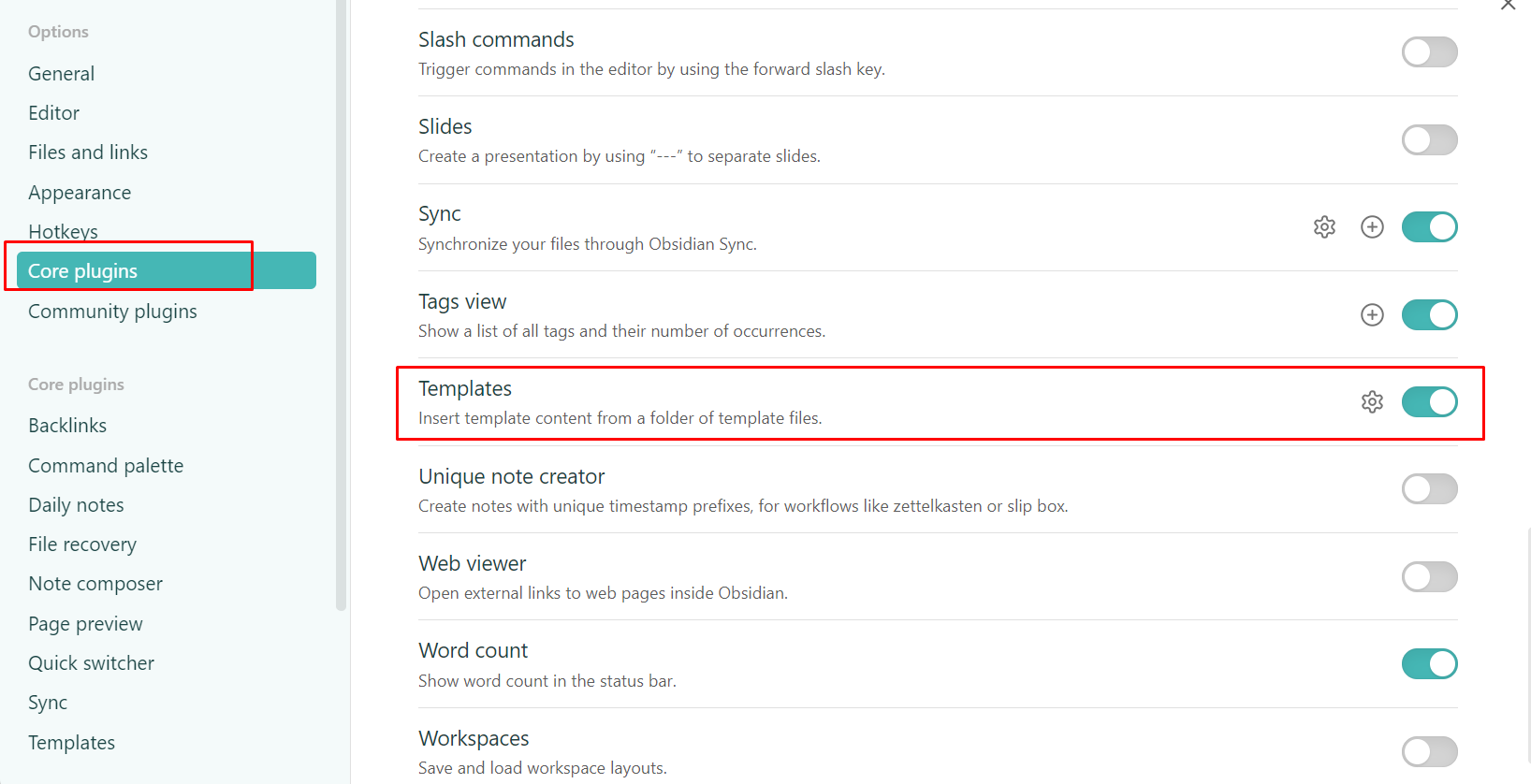
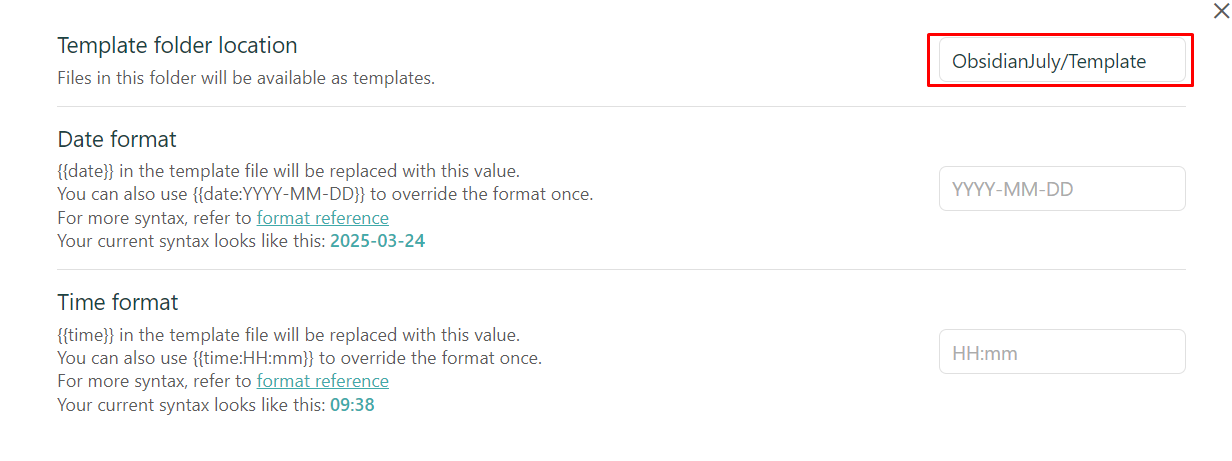
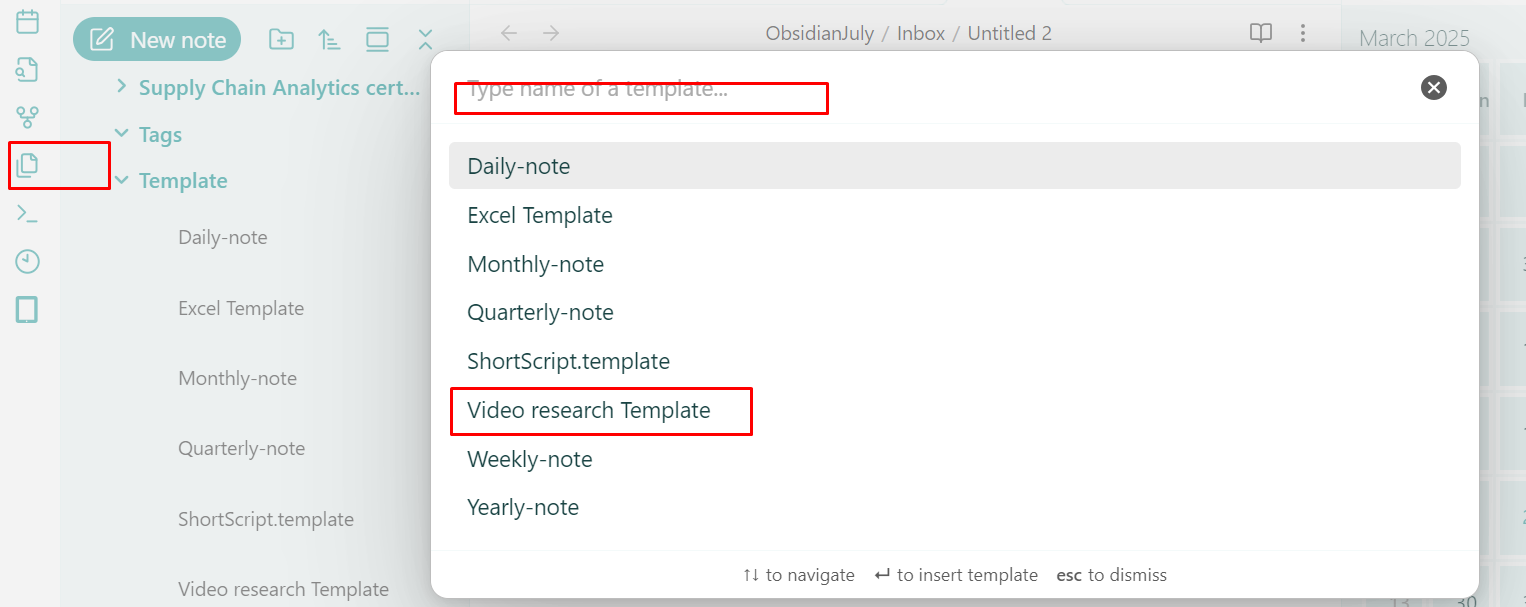
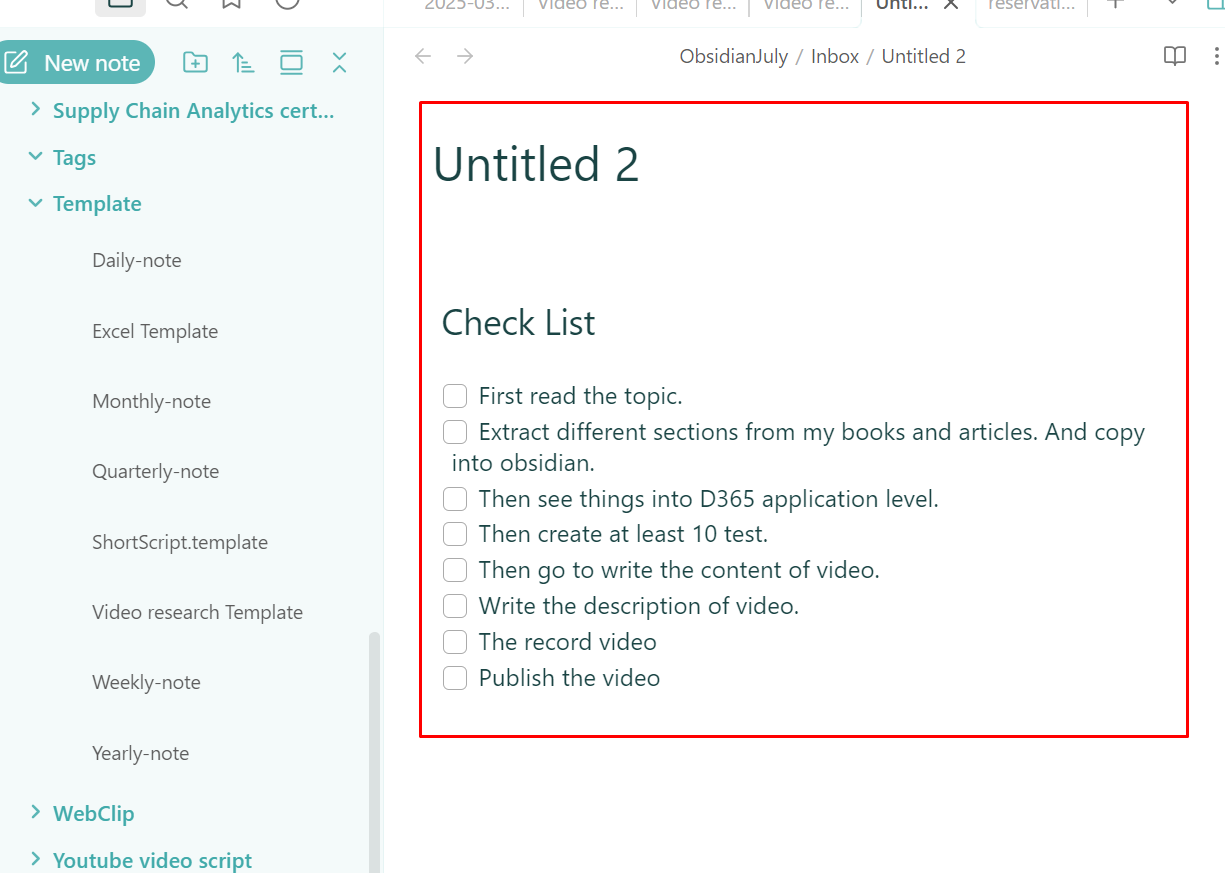
Hello friends, in this post I shared how to create and use templates in Obsidian

A Model with the same name already exists in the Metadata Store

March 19, 2025 by alirazazaidi

I learned a tough life lesson—greatness isn’t about doing big things. True greatness lies in doing small things with excellence.

Haha, this sounds familiar! I remember reading a quote from Napoleon Hill:

“If you cannot do great things, do small things in a great way.”

So here is small tip from my Personal Knowledge Management

I was importing a model to dev environment to built a common package for deployment. I found following error,

A Model with the same name already exists in the Metadata Store. Please delete the existing model if you want to install this model.

So I need to delete existing one and then import it again through command line

k:\AOSService\PackagesLocalDirectory\bin\ModelUtil.exe -delete -metadatastorepath=k:\AOSService\PackagesLocalDirectory -modelname="RanjahJogi"

After you can import model in some temp table in c drive.

k:\AOSService\PackagesLocalDirectory\bin\ModelUtil.exe -import -metadatastorepath=k:\aosservice\packageslocaldirectory -file=c:\temp\RanjahJogi.axmodel

Service Item with Stocked Item Model

March 17, 2025 by alirazazaidi

I conducted an experiment to see what happens when we create a service item but select the item group as stocked.

To test this, I created an item called “Service 101” using the FIFO model, which is typically used for stocked items.

Next, I purchased it as a normal item.

When I checked the inventory transactions, I noticed that transactions were recorded—this happened because the FIFO item model treats it as a stocked item.

Inventory transactions

Why would we need such an item?

If we define an item as a service and assign it to a non-stocked item group, it means we can use it as a service charge—either as a service received or provided to a customer. In this case, no inventory transactions would be recorded.

However, in production orders, when defining the Bill of Materials (BOM), there are certain non-physical costs (such as floor charges) that need to be accounted for. The problem is that BOM does not support service items.

To work around this, we need to create a service item using a stocked item model, ensuring that it can be included in BOM calculations while still serving its intended purpose as a service-related charge.

BRD, Requirement Register, Fit GAP, FDD, TDD

March 14, 2025 by alirazazaidi

1. BRD (Business Requirements Document):

  • Purpose: Captures high-level business requirements and objectives. It focuses on what the business needs, not how to implement it.
  • Key Components:
    • Project objectives and scope
    • Business processes to be supported by the ERP
    • Functional requirements (features and capabilities needed)
    • Non-functional requirements (performance, security, compliance)
    • Stakeholder roles and responsibilities
  • Audience: Business stakeholders, project sponsors, and the implementation team.

2. Requirement Register:

  • Purpose: A detailed log of all requirements gathered during the project. Acts as a central repository for tracking requirements throughout the ERP lifecycle.
  • Key Components:
    • Unique ID for each requirement
    • Description and category (functional, non-functional, technical)
    • Priority (high, medium, low)
    • Status (proposed, approved, implemented, tested, etc.)
    • Ownership (who requested and who is responsible)
  • Audience: Project managers, business analysts, and the implementation team.

3. Fit-GAP Analysis:

  • Purpose: Assesses how well the ERP system’s out-of-the-box features match the business requirements. Identifies gaps that need customization or process changes.
  • Key Components:
    • Fit: Requirements that the ERP system meets without modification.
    • GAP: Requirements that need customization, integration with other systems, or process adjustments.
    • Recommendations for handling gaps (customization, workaround, process change).
  • Audience: Functional consultants, business analysts, and decision-makers.

4. FDD (Functional Design Document):

  • Purpose: Provides a detailed description of how the business requirements will be implemented functionally in the ERP system.
  • Key Components:
    • Functional workflows and use cases
    • Screen layouts, fields, and user interactions
    • Business rules and validations
    • Integration points with other systems
  • Audience: Functional consultants, developers, and QA teams.

5. TDD (Technical Design Document):

  • Purpose: Describes the technical implementation details for the requirements specified in the FDD. Focuses on how to build the solution technically.
  • Key Components:
    • System architecture and data models
    • Detailed specifications for customizations (code, scripts, reports)
    • Database schemas and API details
    • Security and compliance considerations
  • Audience: Technical consultants, developers, and system architects.

Summary:

  • BRD: What the business needs.
  • Requirement Register: Tracks all requirements.
  • Fit-GAP: Matches requirements with ERP capabilities.
  • FDD: Functional solution design.
  • TDD: Technical implementation plan.

Simple PKM with Obsidian

March 9, 2025 by alirazazaidi

Hello friends, welcome to this video!

In this video, I’m sharing a simple Personal Knowledge Management (PKM) System in Obsidian. It consists of three main folders:

1. Inbox

This is where all your notes are initially stored—whether it’s your daily journal, work-related notes, ideas, or anything else you capture throughout the day.

2. MOC (Map of Content)

This folder contains Table of Contents (TOC) notes—a central hub where all notes related to a specific category are linked. Think of it as a gateway to easily access and organize your knowledge.

3. Specific Folders

Once a note is finalized, it gets moved into a relevant category folder. Examples include D365, Excel, and Consulting—but you can create folders based on your own needs.

This is my simple yet effective PKM system in Obsidian. I hope you find it helpful!


How to fetch un-Invoiced Delivery notes for sales order – D365 Finance and Operations

March 1, 2025 by alirazazaidi

So here is another code snippet, that I develop after two hours of testing and understanding the D365 F&O that get all non invoiced , delivery notes or packingslip. I want to restrict the code to invoice against Delivery note, If no non posted delivery note exists, Code will not generate the invoice.

 public static str getUninvoicedPackingSlipsBySalesId(SalesId _salesId)
 {
     CustPackingSlipJour custPackingSlipJour;    // Packing slip journal
     InventTrans         inventTrans;            // Inventory transaction

     str packingSlipIds = "";
     container distinctPackingSlips;             // Container to store unique Packing Slip IDs
     int i = 0;

     // Fetch only un-invoiced Packing Slips based on Sales ID
     while select inventTrans
     where inventTrans.InvoiceId == ""
     
     join custPackingSlipJour
     where custPackingSlipJour.PackingSlipId == inventTrans.PackingSlipId
       && custPackingSlipJour.SalesId == _salesId
     {
         // Check if the Packing Slip ID is already in the container
         if (conFind(distinctPackingSlips, custPackingSlipJour.PackingSlipId) == 0)
         {
             distinctPackingSlips += custPackingSlipJour.PackingSlipId;  // Add to container if unique
                          
         }
     }

     return con2Str(distinctPackingSlips);  // Return the comma-separated string or empty if none found
 }

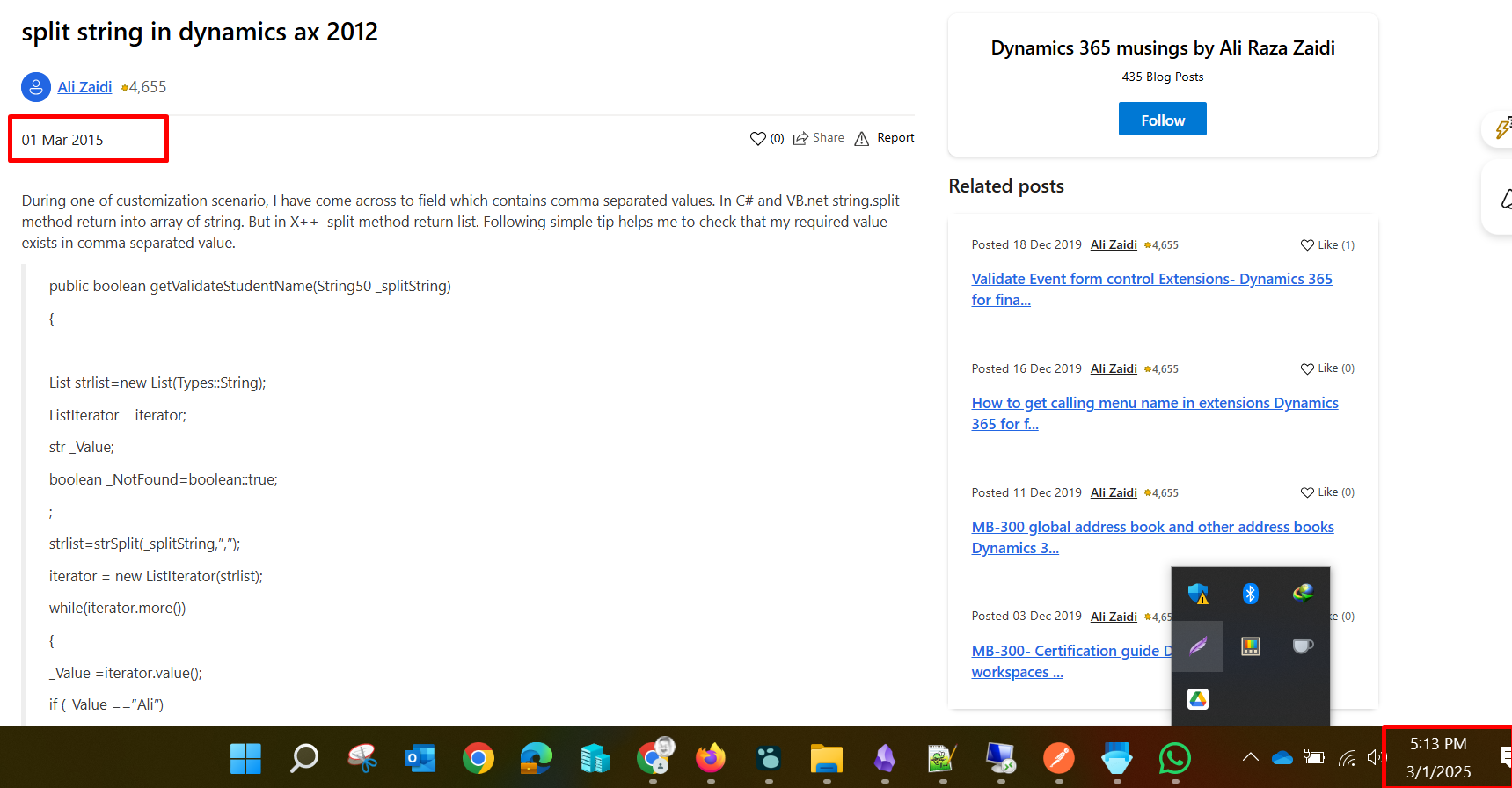
Note to self – What a joke Same date, but 10 year a part

March 1, 2025 by alirazazaidi

Today I found interesting thing, I need a small code snippet, I google it, I found my own, same date, but different year. At least 10 years

Query to get all pending task in -LogSeq

February 28, 2025 by alirazazaidi

So I need to fetch all pending task in logseq. Actually I start using the agenda plugin

{{query (task TODO NOW DOING LATER WAITING)}}

« Previous Page
Next Page »

Primary Sidebar

About

I am Dynamics AX/365 Finance and Operations consultant with years of implementation experience. I has helped several businesses implement and succeed with Dynamics AX/365 Finance and Operations. The goal of this website is to share insights, tips, and tricks to help end users and IT professionals.

Legal

Content published on this website are opinions, insights, tips, and tricks we have gained from years of Dynamics consulting and may not represent the opinions or views of any current or past employer. Any changes to an ERP system should be thoroughly tested before implementation.

Categories

  • Accounts Payable (2)
  • Advance Warehouse (2)
  • AI (3)
  • Asset Management (3)
  • Azure Functions (1)
  • Books (6)
  • Certification Guide (3)
  • ChatGPT (3)
  • Claude (1)
  • Customization Tips for D365 for Finance and Operations (64)
  • D365OF (60)
  • Data Management (1)
  • database restore (1)
  • Dynamics 365 (59)
  • Dynamics 365 for finance and operations (139)
  • Dynamics 365 for Operations (175)
  • Dynamics AX (AX 7) (134)
  • Dynamics AX 2012 (274)
  • Dynamics Ax 2012 Forms (13)
  • Dynamics Ax 2012 functional side (16)
  • Dynamics Ax 2012 Reporting SSRS Reports. (31)
  • Dynamics Ax 2012 Technical Side (52)
  • Dynamics Ax 7 (65)
  • Exam MB-330: Microsoft Dynamics 365 Supply Chain Management (7)
  • Excel Addin (1)
  • Favorites (12)
  • Financial Modules (6)
  • Functional (8)
  • General Journal (1)
  • Implementations (1)
  • Ledger (1)
  • Lifecycle Services (1)
  • Logseq (4)
  • Management Reporter (1)
  • Microsoft Excel (4)
  • MS Dynamics Ax 7 (64)
  • MVP summit (1)
  • MVP summit 2016 (1)
  • New Dynamics Ax (19)
  • Non Defined (9)
  • Note taking Apps (2)
  • Obsidian (4)
  • Personal Knowledge Management (3)
  • PKM (16)
  • Power Platform (6)
  • Procurement (5)
  • procurement and sourcing (6)
  • Product Information Management (4)
  • Product Management (6)
  • Production Control D365 for Finance and Operations (10)
  • Sale Order Process (10)
  • Sale Order Processing (10)
  • Sales and Distribution (5)
  • Soft Skill (1)
  • Supply Chain Management D365 F&O (5)
  • Tips and tricks (278)
  • Uncategorized (165)
  • Upgrade (1)
  • Web Cast (7)
  • White papers (4)
  • X++ (10)

Wiki

  • SCM

Copyright © 2026 · Magazine Pro On Genesis Framework · WordPress · Log in