This is second part of webcast. Here I demonstrate to setup number sequence in Dynamics 365 for finance and operations
A practitioner’s musings on Dynamics 365 Finance and Operations
This is second part of webcast. Here I demonstrate to setup number sequence in Dynamics 365 for finance and operations
Hi all, here is another youtube video. I used to explore things and them document. Here I documented line level charges on sales order applied based on customer charges group and Item Charges group. English is not my native language so bear with me.
Hi all, Microsoft provide 3 currency Exchange rate providers, With these provider we get latest currency Exchange rates in Dynamics 365 for finance and operations. These exchange rates used when We required transactions in different currencies. In the current web cast I used one of Exchange rate provider get latest exchange rates. Its works excellent in my local laptop hosted VM. My English is improving day by day so bear with me.
This is 6th to the point video in Sales order processing series, where I shared the manual charges applied on Sale Order Header. Hope this helps.
This is third video in Sale order Processing series using D365 for finance and operations. We use trade agreements for Price listing for Customer or group of customers.
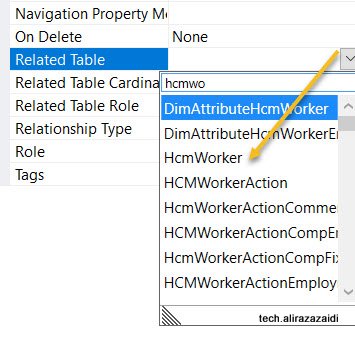
Hi All, I was doing my Pilot project in D365 for Finance and operations. I want to add HCMWorker relation to my custom table. But did not found in drop down.
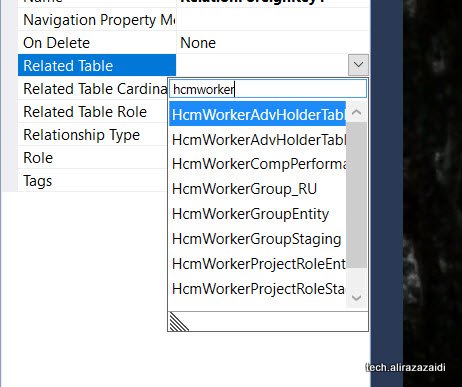
It means model reference(Package) was not included in Current Model. For this
For this first check Required model on table and add its reference On AOT
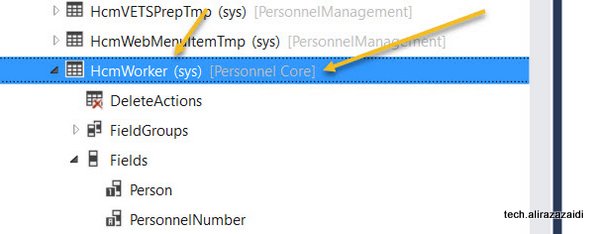
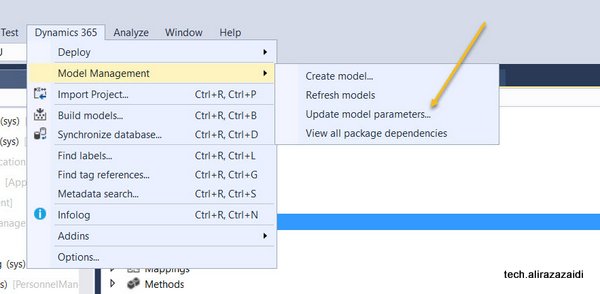
For adding this click on Dynamics 365 Menu on top. Model Management => Update Model Parameters
Select your current Model, for example, My Pilot Model is OpnAxPayroll I selected that.
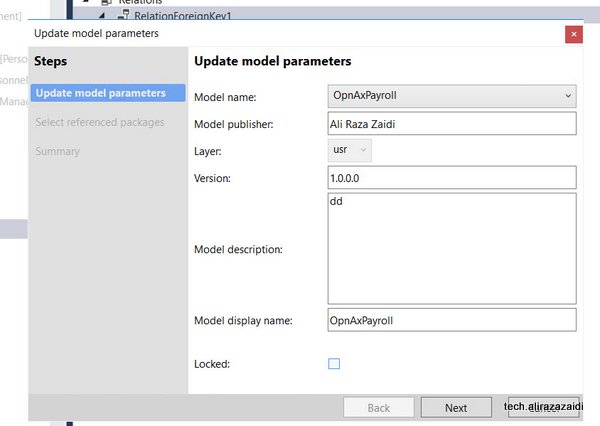
Select required Models and

Now I found the HCMWorker in relation dropdown.
Here is small and quick tip. Couple of Days ago I helped a developer to get Dependent out of worker.
Microsoft provide a View DirPartyRelationshipsUnionView. Here Worker Party Id is saved as “otherParty” and dependent Party id can be found as ” SELFPARTY”.
Quick SQL query is below,
select name from DIRPARTYTABLE where recid in (
select SELFPARTY from DirPartyRelationshipsUnionView where OTHERPARTY =5637146826)
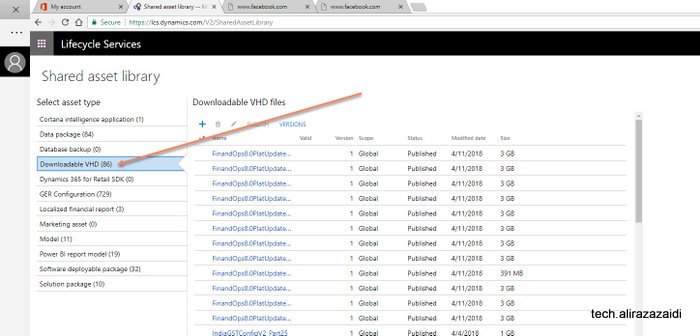
Hi all, connect link is now part of past. VHD link on collaboration site did not work. You can down it from lcs.
For this you have subscription on LCS.Dynamics.com for D365 for Finance and operations.
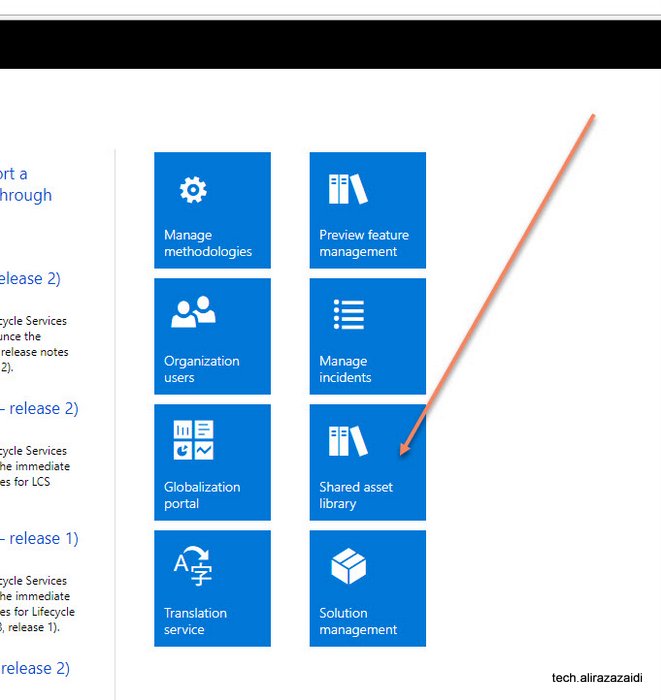
After successful, login you will find Shared Asset in boxes section.
At the time of writing this small tip, Dynamics 365 for Finance and operations 8.0 platform Update 15 is just released