D365OF
Allow duplicate check Global Address Book Dynamics 365 for finance and operations.
Dynamics 365 for finance and operations provide functionality of check Party Name already exists in Global Address book, So End user can select instead create a new one if required.
Here is video I shared this functionality in small less then 5 minutes series.
unable to read beyond the end of stream Dynamics 365 for finance and operations
After deployment of custom report on my Dev one box. I faced this error when I run the report for testing. IIS restart, Project compilation and Service restart did not solve the problem.
“
unable to read beyond the end of stream
“
Solution was simple, Build the full model.
Add Financial dimension to Customer/Vender with X++ Dynamics 365 for finance and operations
Small tip, I used following code snippet to add financial dimension in Customer / Vendor, You can extend this code by adding more dimension and values on Containers in following code snippet.
public class iaxFinancialDimensionHelper
{
Public static DimensionDefault ProjectDimension(ProjId _ProjId)
{
DimensionAttributeValueSetStorage valueSetStorage = new DimensionAttributeValueSetStorage();
DimensionDefault result;
int i;
DimensionAttribute dimensionAttribute;
DimensionAttributeValue dimensionAttributeValue;
container conAttr = [“Projects”];
container conValue = [_ProjId];
str dimValue;
for (i = 1; i <= conLen(conAttr); i++)
{
dimensionAttribute = dimensionAttribute::findByName(conPeek(conAttr,i));
if (dimensionAttribute.RecId == 0)
{
continue;
}
dimValue = conPeek(conValue,i);
if (dimValue != “”)
{
// The last parameter is “true”. A dimensionAttributeValue record will be created if not //found.
dimensionAttributeValue =
dimensionAttributeValue::findByDimensionAttributeAndValue(dimensionAttribute,dimValue,false,true);
// Add the dimensionAttibuteValue to the default dimension
valueSetStorage.addItem(dimensionAttributeValue);
}
}
result = valueSetStorage.save();
return result;
}
}
Reference : Internet. possible Dynamics forum. it works for me.
The field with ID ‘0’ does not exist in table Dynamics 365 For finance and operations
Hi all, I face this error, while extended existing custom report. I added some fields in temp table, after update logic in dp class, On report data set update.
But at run time report shows this error. While debugging the code, I found the error occur on mapping the new fields in temp table.

Solution :
I build the whole model. After that error was removed.
An error occurred during report data sets execution D365 For finance and operations
Hi all, small tip. I faced this issue, when I extend the custom report in D365 for finance and operations. During development on onebox
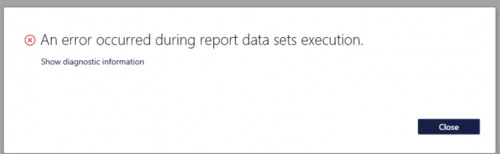
Solution was simple,
- restart IIS services
- Restart Reporting Services.
Happy Daxing.
How to copy financial dimension form one object to other. Dynamics 365 For finance and operations
Hi all, In some cases we can need to copy financial dimension from one object to other for example Customer to Sales order or Vendor to purchase order.
In Ax 2012 it little easy. But in D365 For finance and operations, it is little bit tricky.
I did this with following code snippet. With the help of out of box. LedgerDimensonDefaultFacade class i used the merge default dimension method and passed same table dimension in form and to dimension.
Result is interesting.
salestable.DefaultDimension= LedgerDimensionDefaultFacade::serviceMergeDefaultDimensions(CustTable.DefaultDimension,CustTable.DefaultDimension);
Calling menu name in Extensions Dynamics 365 for finance and operations
In Ax 2012 we get menu name with element.Args().CallMenu name, using taking decision on menu name.
But same logic we need to apply in Extension. But in D365 For finance and operations we did not overlay. Following code snippet helps me to implement similar logic in Extension.
[ExtensionOf(formStr(CustTable))]
final class IaLogisticsContactInfoGrid_Extension
{
/// <summary>
///
/// </summary>
/// <param name=”sender”></param>
/// <param name=”e”></param>
[FormEventHandler(formStr(LogisticsContactInfoGrid), FormEventType::Initialized)]
public static void LogisticsContactInfoGrid_OnInitialized(xFormRun sender, FormEventArgs e)
{
FormRun formRun = sender;
;
info(formRun.args().menuItemName());
}
}
Paging in Query X++ Dynamics 365 for finance and operations
For paging in X++ Query. There are three steps required. Rest of Query Code is same.
We have to set following things in Query data source
- Set Sort field in Query data Source.
- Paging position property of QueryRun is set to true.
- Add page range with starting position and number of records in QueryRun
Here is code snippet
QueryBuildRange qbr,qbrStartDate,qbrEndDate;
QueryBuildDataSource qbd;
IAPageSize EnumPageSize;QueryRun qr;
Query query = new Query();
Int pageSize = 2;
qbd = query.addDataSource(TableNum(ProjPlanVersion));
qbd.addOrderByField(fieldNum(ProjPlanVersion,HierarchyId));qr = new QueryRun(query);
qr.enablePositionPaging(true);
CurrentPageNumber =1;
startingposition = CurrentPageNumber * pagesize;
qr.addPageRange(startingposition, totalRows);
while(qr.next())
{
Info (“”);
}
How to capture Fiddler logs for Dynamics 365 for finance and operations
Here is another tip, how to capture for Finance and operations. You can download fiddlerCap from below link
http://www.telerik.com/fiddler/fiddlercap