• Skip to main content
  • Skip to primary sidebar
  • Home
  • About
  • Recommended Readings
    • 2022 Book Reading
    • 2023 Recommended Readings
    • Book Reading 2024
    • Book Reading 2025
    • Book Reading 2026
  • Supply Chain Management Guide
  • PKM
  • Microsoft Excel
  • Microsoft Copilot in Office 365
  • Public Wiki Page

Ali Raza Zaidi

A practitioner’s musings on Dynamics 365 Finance and Operations

alirazazaidi

Procure to Pay Demo-D365 Finance and Operations

May 16, 2021 by alirazazaidi

In this demo video, I shared the Procure to Pay process. It is simple and basic step,

I shared following steps as part of process

1- Create a new Vendor

2-Create a purchase order for Vendor.

3-Receive Purchase order or register the product receipet.

4- Invoice Purchase Order

5- Vendor payment Journal to settle the payment.
Introduction to Fixed Asset Management D365 For Finance and Operations

April 5, 2021 by alirazazaidi

Here are my four videos, first complete course.

How to use Customer Template In D365 Finance and Operations

March 28, 2021 by alirazazaidi

Hello friends, in todays video, we explore one of reusable feature of D365 And finance and operations. This feature is good for data entry guys, They can default some common fields.

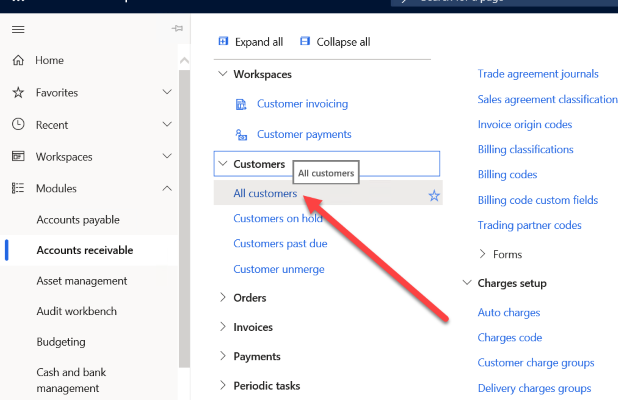
For Customer we can built template that have some default field setup. So here is some step by Step guide.

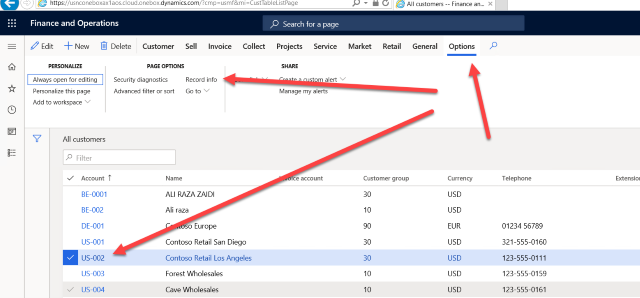
from list page select any customer and click on options and record info

from popup dialog select “User template”

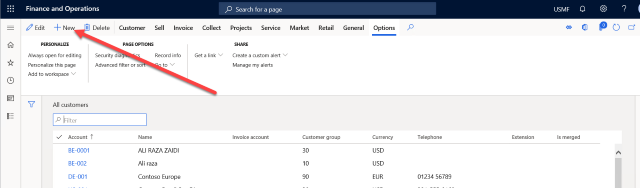
Save its as as you want when you click on new customer on Customer list page

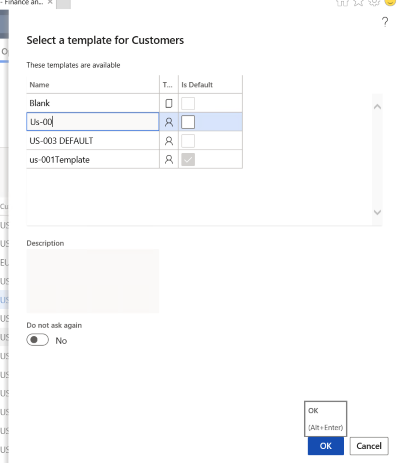
You found selection where you can select template

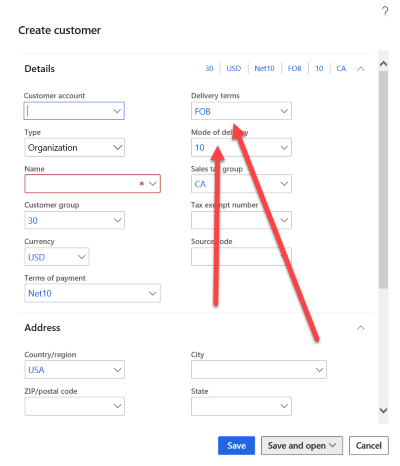
when you click on Ok button. You found a number of Employee fields automatically filed.

See you in another post

Restart this blog

March 28, 2021 by alirazazaidi

Hi, friends, Welcome to this post. Last month, I got email from Spain one of my MVP Colleague. That they are doing some online event on Microsoft Dynamics 365 and power platform in Spanish. And he sent this all Current MVP and Rmvp. So I record some clips and sent to him.

It was my honor he included those clips in bait for online event. This video link is here

https://www.linkedin.com/feed/update/urn:li:activity:6781169682125766656/

After watching this video, I decided to restart my blog. I feel its time to start again. But this time, to work different way. Blog plus youtube video. Previously I faced criticize when I started share functional videos. That end user learn himself, how we consultant earn. Later I found answer, if I am not doing that some one else do. Lets do so much noise that original voice hides.

You know in Ancient India (Indo-Pak) we had some ancient technique for medicine, We called it desi Tib. 200 years back western medical and Desi medical both are at same level. So why Western medical spreading whole world and become only one way and why desi medical or desi tariqa is no where. The answer is sharing. what happens here, if some one found some prescription for medicine, they hide it from world and solution left in families for generations. European shared it with the world. And only sharing help the westerns medicine to grow.

I found two website that become my inspiration to starts again. These websites focus on Microsoft Business Central. They share everything In product. These are great inspiration for me.

https://usedynamics.com/

https://www.inecta.com/microsoft-dynamics-tutorial-videos

Answer

How to make dashboard with Power BI and Dynamics 365 For Finance and Operations

February 3, 2021 by alirazazaidi

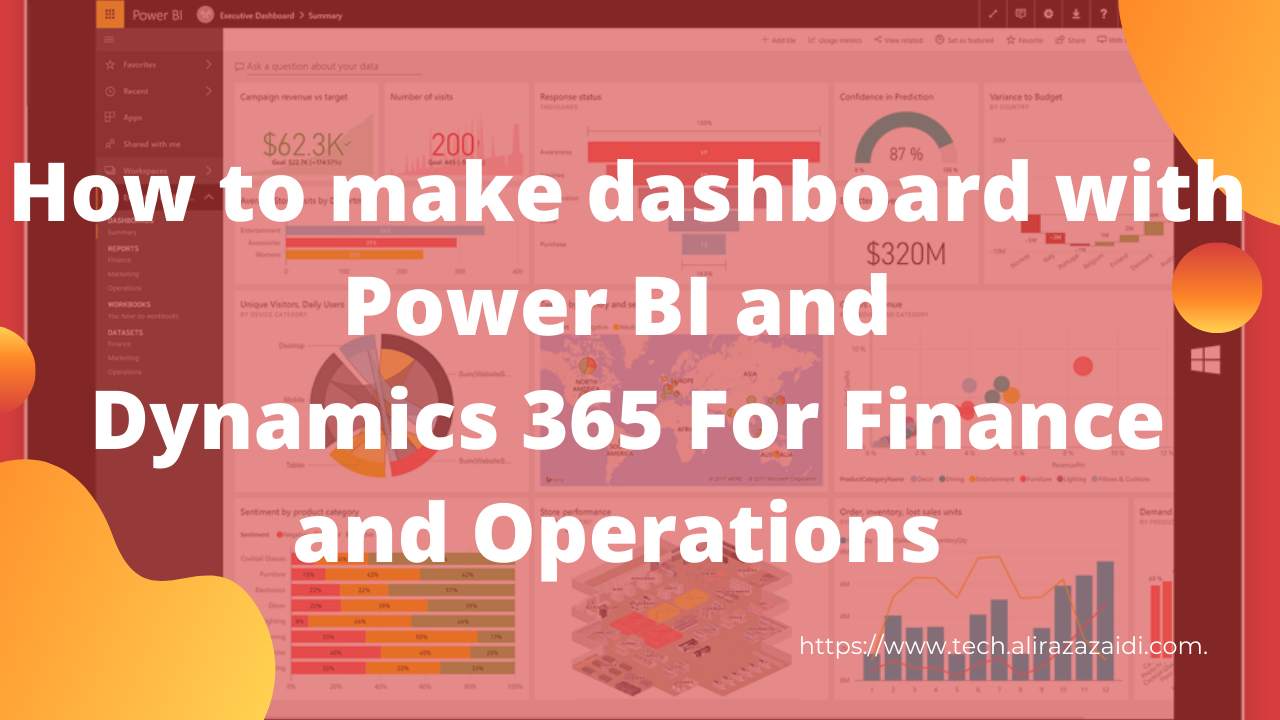
Hi everyone this little bit longer video, more then 35 minutes. Where record the complete process from Power BI to D365. Power BI is extremely easy. If you know only excel then you can easily work.

In this video you can connect with Dynamics 365 for finance and operations and make dashboard on it. I used Contoso data. If you complete watch this video you can easily understand following points.

Power BI Connections.

Download and install power BI.

How to connect with Dynamics 365 for finance and operations.

Load data,

Transform data Create calculated columns

Create measures Creates Custom tables Make Model based on tables.

Then make use different charts to make dashboards.

How to create a legal Entity In Dynamics 365 for finance and Operations.

January 27, 2021 by alirazazaidi

Hi Everyone, Welcome to this session. In this session, going to create a legal Entity.

Legal Entity creation is very simple.

Before that we go let’s discuss what a legal entity is.

•A legal entity is an organization that has a registered or legislated legal structure. 

•They have to go into a legal contract with another organization and are required to prepare reports on their performance.

•In D365 Country/region is the most important factor while creating a new legal entity.  All localization in Dynamics 365 for finance and operations depend on Country and region. It activates with respect to selection of Region.

•Form inquiries, reports enable disabled with respect to region or country selection.

Every legal entity is associated with Company Id, which is 4 character value. Once it created can not be modify. Rest of things we can modify.

Sample excel Data “Financial” worksheet and Power BI

January 23, 2021 by alirazazaidi

In October update, Microsoft released Financial worksheet as sample data to explore Power BI. MSDN also have some good articles and walkthrough to make different visuals in Power BI on this sample data.

Following Video I recorded to explore Financial worksheet and following steps from one of article on MSDN. Only difference in D365 finance operations and excel is connectivity, rest of things are same. If you able to build dashboard with excel. then you will able to fetch data from D365 for finance and operations and build dashboard on it.

Wish, some day, I build my complete tutorial on Power BI. May that day come, Please enjoy below video. Please subscribe my youtube channel. سررتُ بلقائك

اراك قريبا See you soon.

Snagit 2021 Capture window

October 31, 2020 by alirazazaidi

https://www.youtube.com/watch?v=j4Q6ZjmIqTA

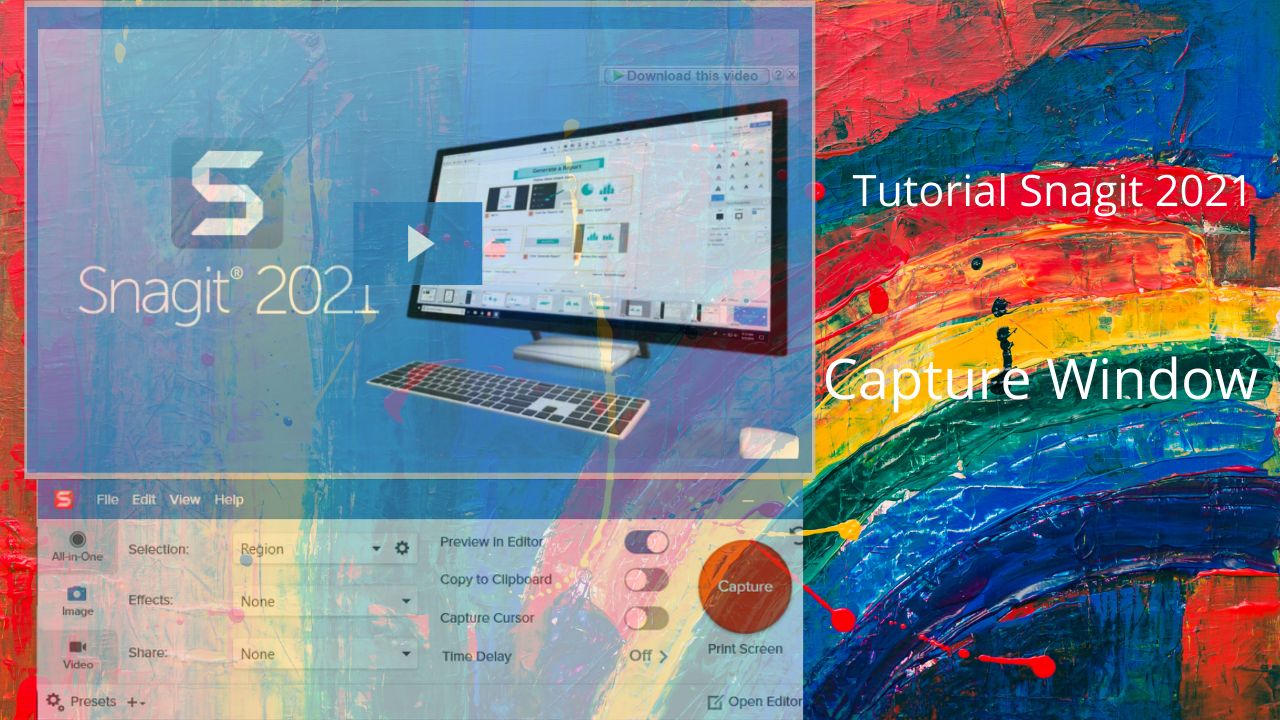
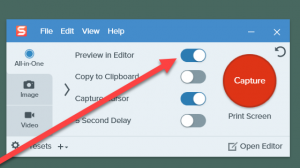
So first of all we have to go on windows and click to open Snagit 2021. This will open the capture window. 

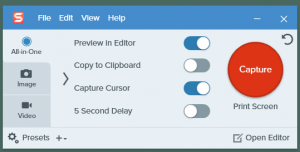
So Our capture windows open. 

Now it has three options. 

First option is Preview in Editor.

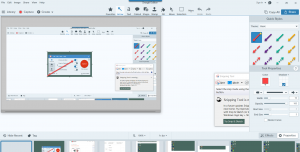
Whatever we capture. It will automatically open in the Editor. Lets try this.

Second option is to copy to Clipboard. This option is good, when you want to open or paste files directly to a third party app for example, MS word or MS Paint.

This option is capture Cursor.  This option is good when you record to take a screenshot and the cursor will come.

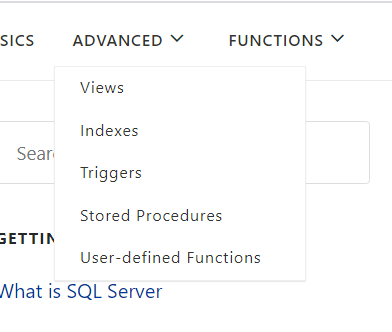
Third option is  5 Second Delay. This option works usually when we want to capture. Menu.  or things that come after 5 few minutes. For example from this site we want to capture menu, which did not possible either we click on capture button this will disappear. So we use 5 second delay.

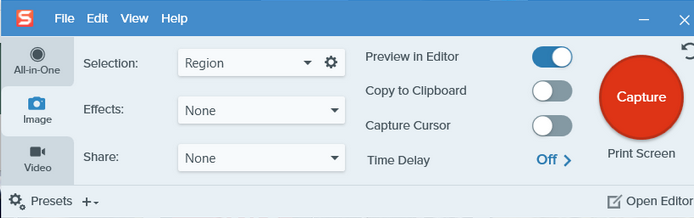
If we click on the Image section, We found some more options like. 

We will explore all these options in next up coming videos. 

Effects There are a lot effects  like  Image has border effect. For example If I select effect bordar, when I capture, image opens Editor with Border.

Share Image directory can be shared to word lets try. We can share them in more detail in the next Video.

If we see the Video panel. It is almost identical to Image. But less options then Image. Here you can also see the Region or window.

Second option is directly shared to different  options like file, ftp, youtube as well documents like word PowerPoint text.

Here are two more options like record microphone, enable webcam as well as record system Audio.

Select top *, Percentage and where clause Absolute Beginner Guide to TSQL – Query

July 11, 2020 by alirazazaidi

https://www.youtube.com/watch?v=2khv24zrDYg

Select Query TSQL- Absolute Beginner Guide to TSQL – Query

July 11, 2020 by alirazazaidi

https://www.youtube.com/watch?v=9rPvylnx4TQ
« Previous Page
Next Page »

Primary Sidebar

About

I am Dynamics AX/365 Finance and Operations consultant with years of implementation experience. I has helped several businesses implement and succeed with Dynamics AX/365 Finance and Operations. The goal of this website is to share insights, tips, and tricks to help end users and IT professionals.

Legal

Content published on this website are opinions, insights, tips, and tricks we have gained from years of Dynamics consulting and may not represent the opinions or views of any current or past employer. Any changes to an ERP system should be thoroughly tested before implementation.

Categories

  • Accounts Payable (2)
  • Advance Warehouse (2)
  • AI (3)
  • Asset Management (3)
  • Azure Functions (1)
  • Books (6)
  • Certification Guide (3)
  • ChatGPT (3)
  • Claude (1)
  • Customization Tips for D365 for Finance and Operations (64)
  • D365OF (60)
  • Data Management (1)
  • database restore (1)
  • Dynamics 365 (59)
  • Dynamics 365 for finance and operations (139)
  • Dynamics 365 for Operations (175)
  • Dynamics AX (AX 7) (134)
  • Dynamics AX 2012 (274)
  • Dynamics Ax 2012 Forms (13)
  • Dynamics Ax 2012 functional side (16)
  • Dynamics Ax 2012 Reporting SSRS Reports. (31)
  • Dynamics Ax 2012 Technical Side (52)
  • Dynamics Ax 7 (65)
  • Exam MB-330: Microsoft Dynamics 365 Supply Chain Management (7)
  • Excel Addin (1)
  • Favorites (12)
  • Financial Modules (6)
  • Functional (8)
  • General Journal (1)
  • Implementations (1)
  • Ledger (1)
  • Lifecycle Services (1)
  • Logseq (4)
  • Management Reporter (1)
  • Microsoft Excel (4)
  • MS Dynamics Ax 7 (64)
  • MVP summit (1)
  • MVP summit 2016 (1)
  • New Dynamics Ax (19)
  • Non Defined (9)
  • Note taking Apps (2)
  • Obsidian (4)
  • Personal Knowledge Management (3)
  • PKM (16)
  • Power Platform (6)
  • Procurement (5)
  • procurement and sourcing (6)
  • Product Information Management (4)
  • Product Management (6)
  • Production Control D365 for Finance and Operations (10)
  • Sale Order Process (10)
  • Sale Order Processing (10)
  • Sales and Distribution (5)
  • Soft Skill (1)
  • Supply Chain Management D365 F&O (5)
  • Tips and tricks (278)
  • Uncategorized (165)
  • Upgrade (1)
  • Web Cast (7)
  • White papers (4)
  • X++ (10)

Wiki

  • SCM

Copyright © 2026 · Magazine Pro On Genesis Framework · WordPress · Log in